
Features
An AI applicant tracking system, end to end.
AI resume screening, interview analysis, blind scorecards, pipeline and talent pool, the Ask PaiSLEY assistant, analytics, and a white-label careers site. Organized by what your team actually does in a day.
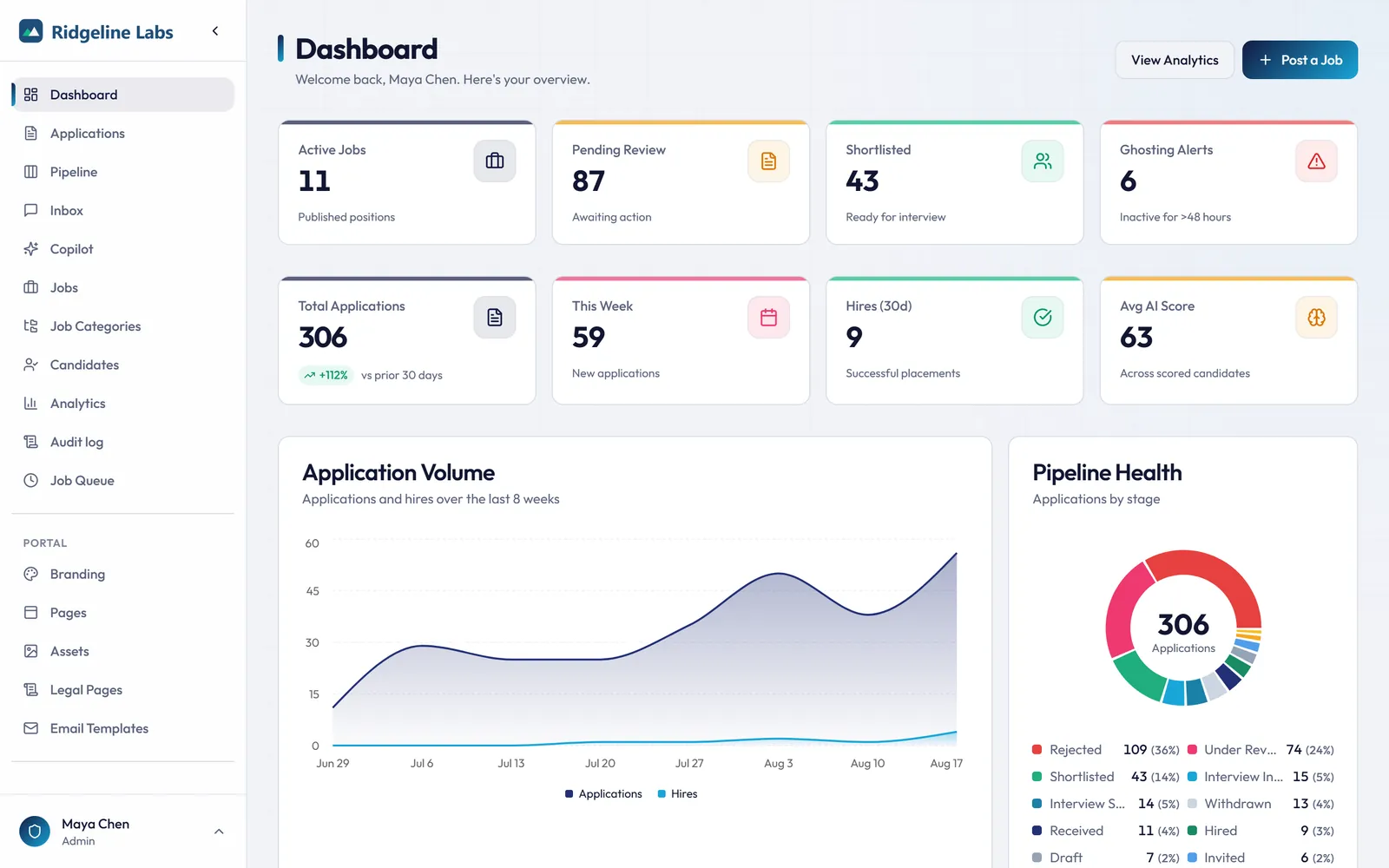
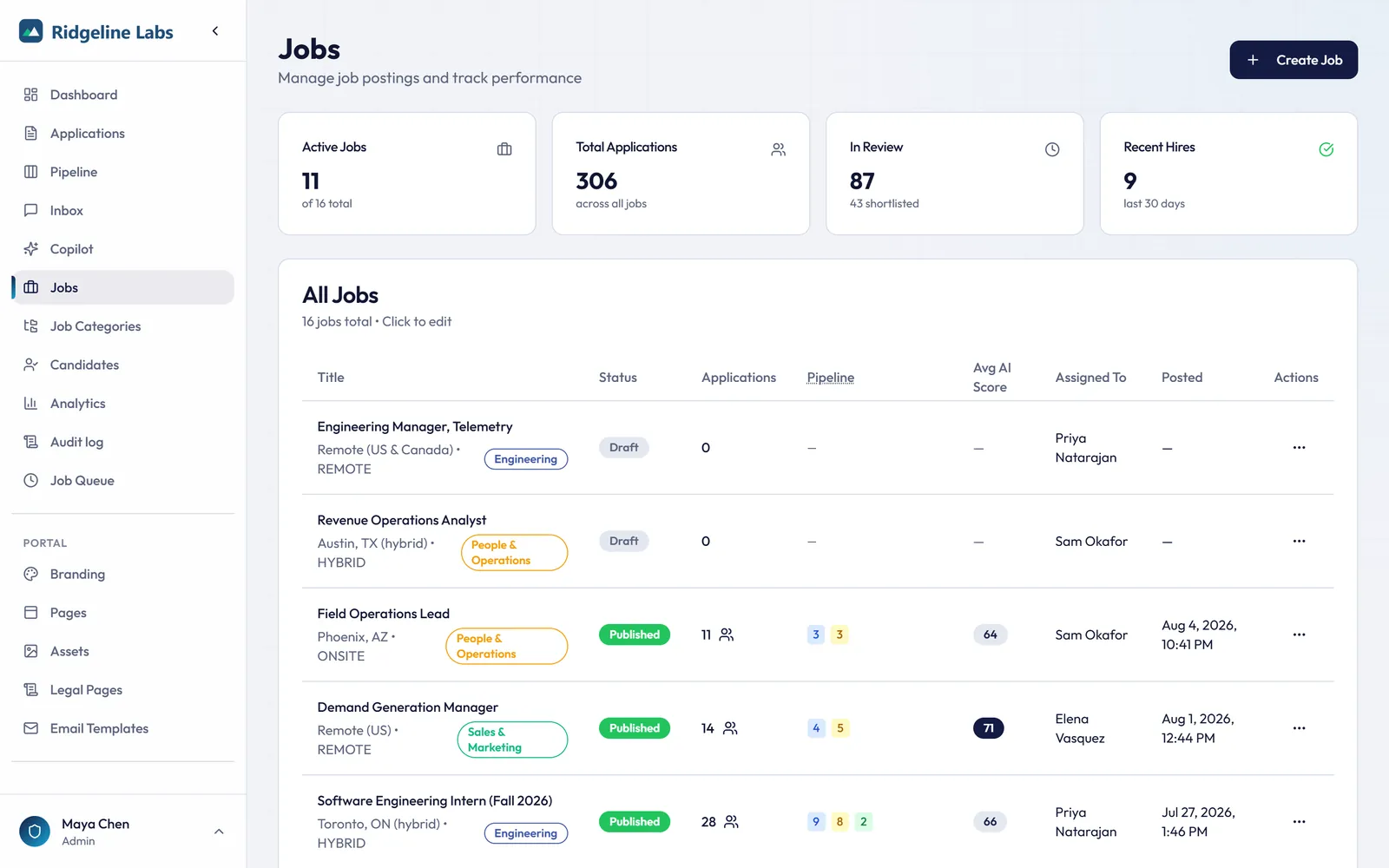
01 · Recruiting dashboard
Start every day knowing exactly where hiring stands.
Live KPIs, an application-volume trend, pipeline health, and the latest applications on one screen, with ghosting alerts so no shortlisted candidate goes cold.
- Real-time KPIs for active jobs, pending review, shortlisted, and hires
- Application volume trend with a hires overlay
- Pipeline health donut by stage
- Ghosting alerts for stale shortlisted candidates, one click into any application
02 · Job setup
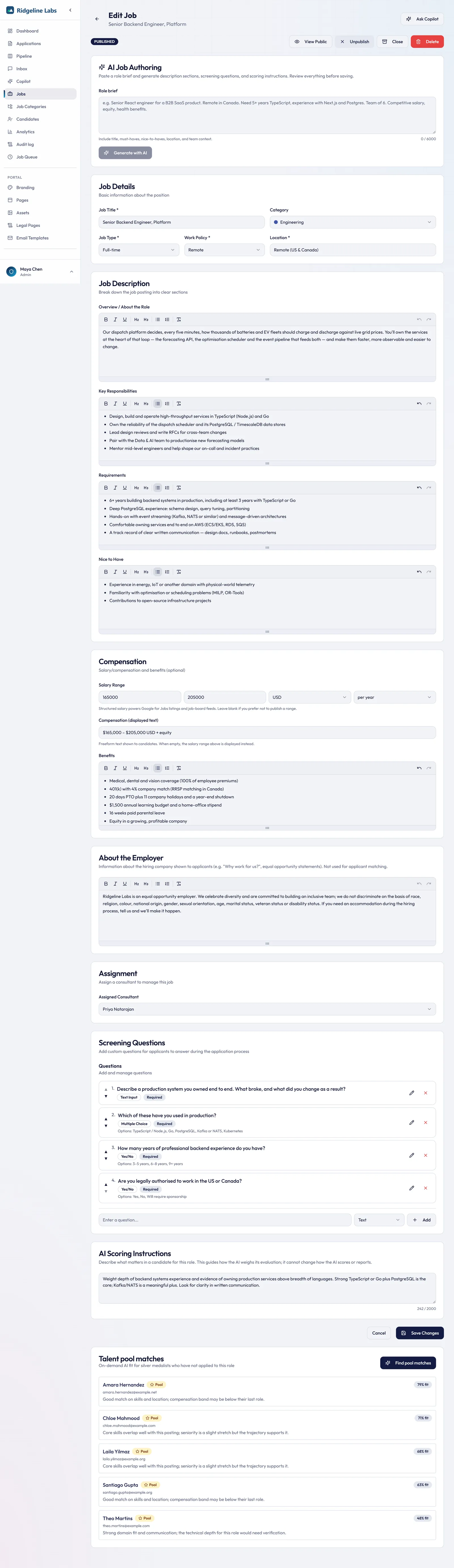
From a short role brief to a posting you can publish.
On eligible plans, the job editor starts with an AI draft. Paste a few lines about the role, or attach the client's intake form, and PaiSLEY writes the posting for you to edit. The same job holds the questions and scoring instructions every applicant is assessed against.
- Screening questions per job: free text, multiple choice, or scale ratings
- Yes/No pre-screening questions before the resume upload, with nothing rejected automatically
- AI scoring instructions per job that weight the certifications or experience the role needs most
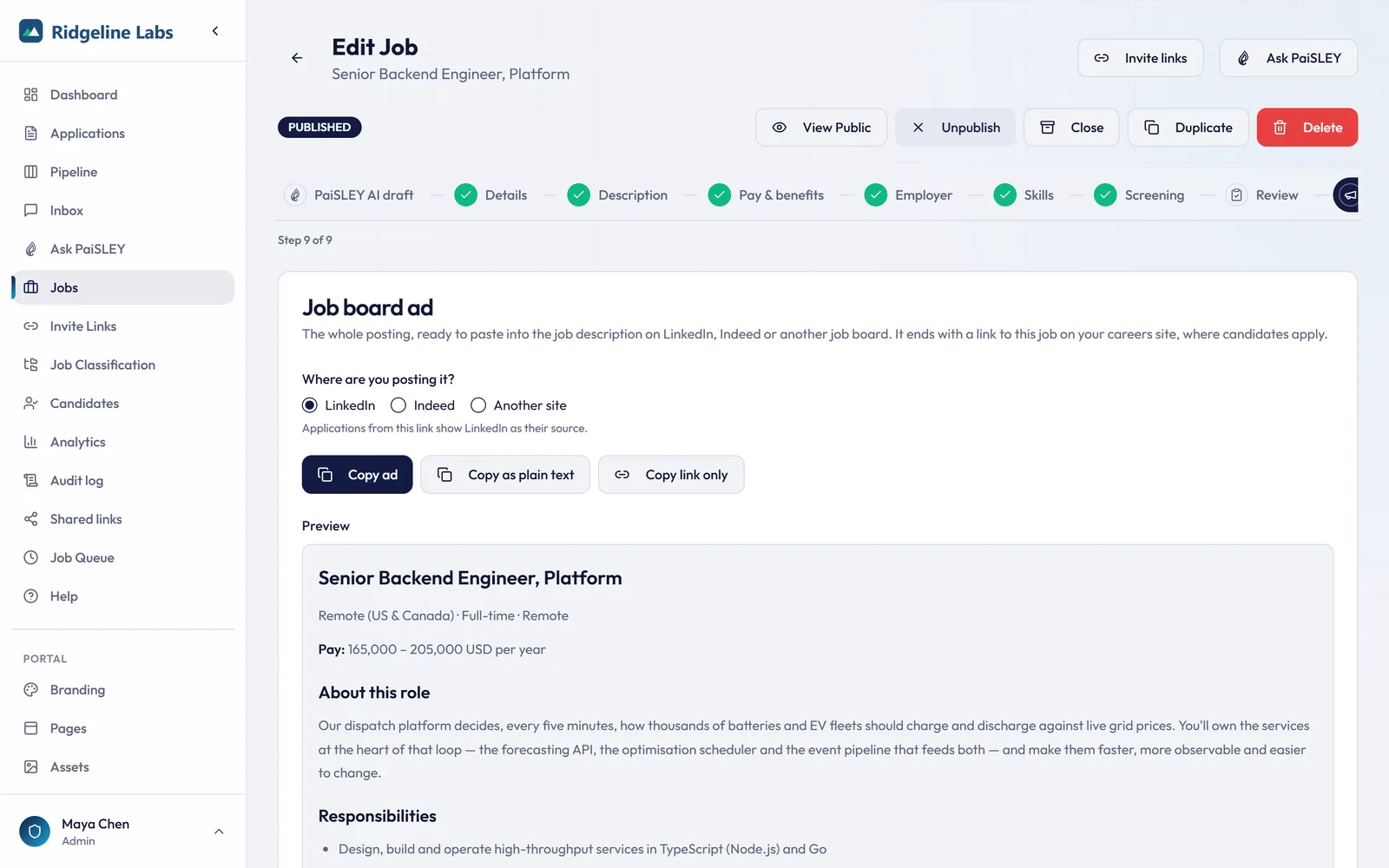
- A ready-to-paste job board ad for LinkedIn, Indeed, or another site, with a link back to the job on your careers site
- Draft, Published, Closed, and Archived states, and per-job recruiter assignment on eligible plans
03 · AI candidate evaluation
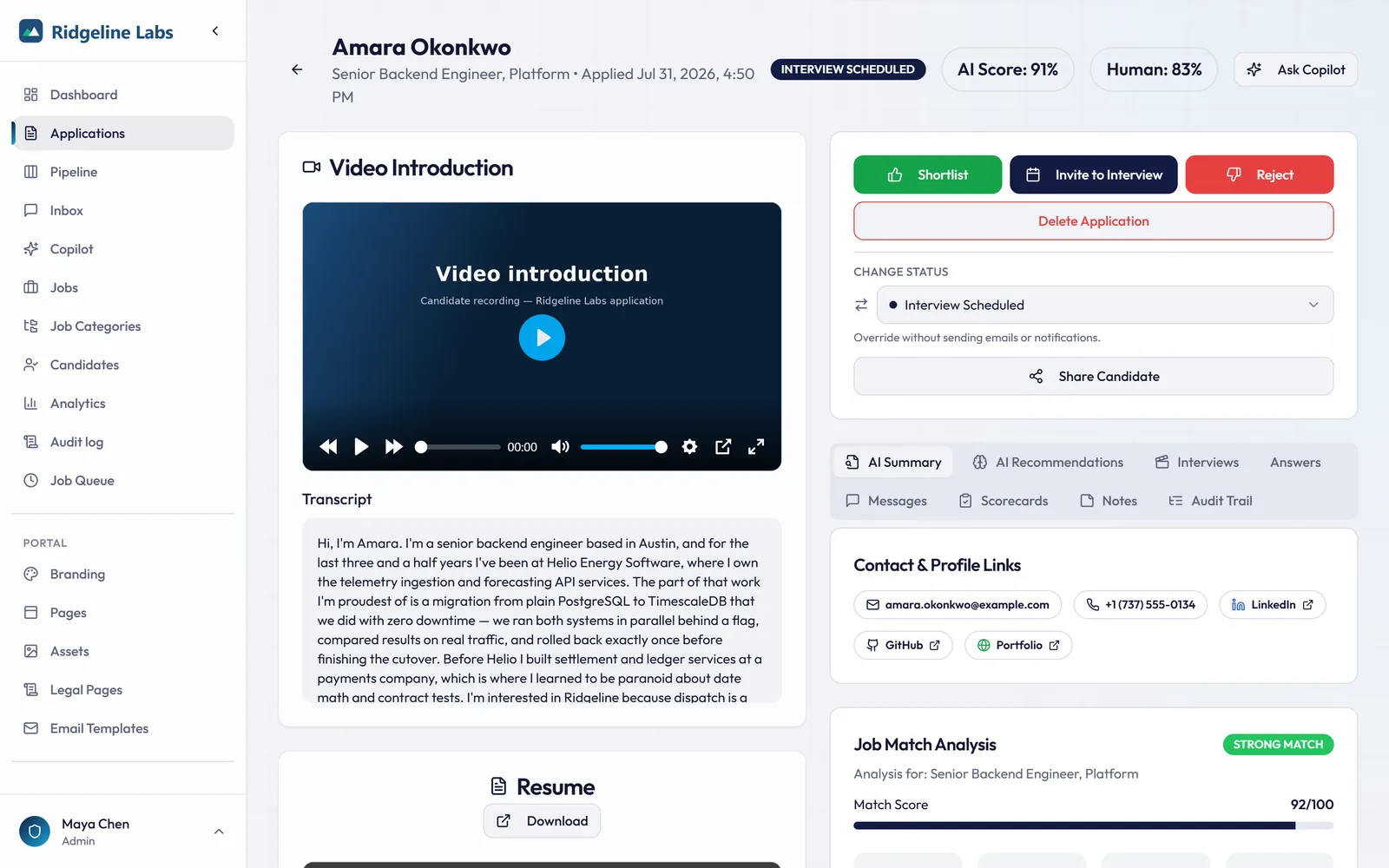
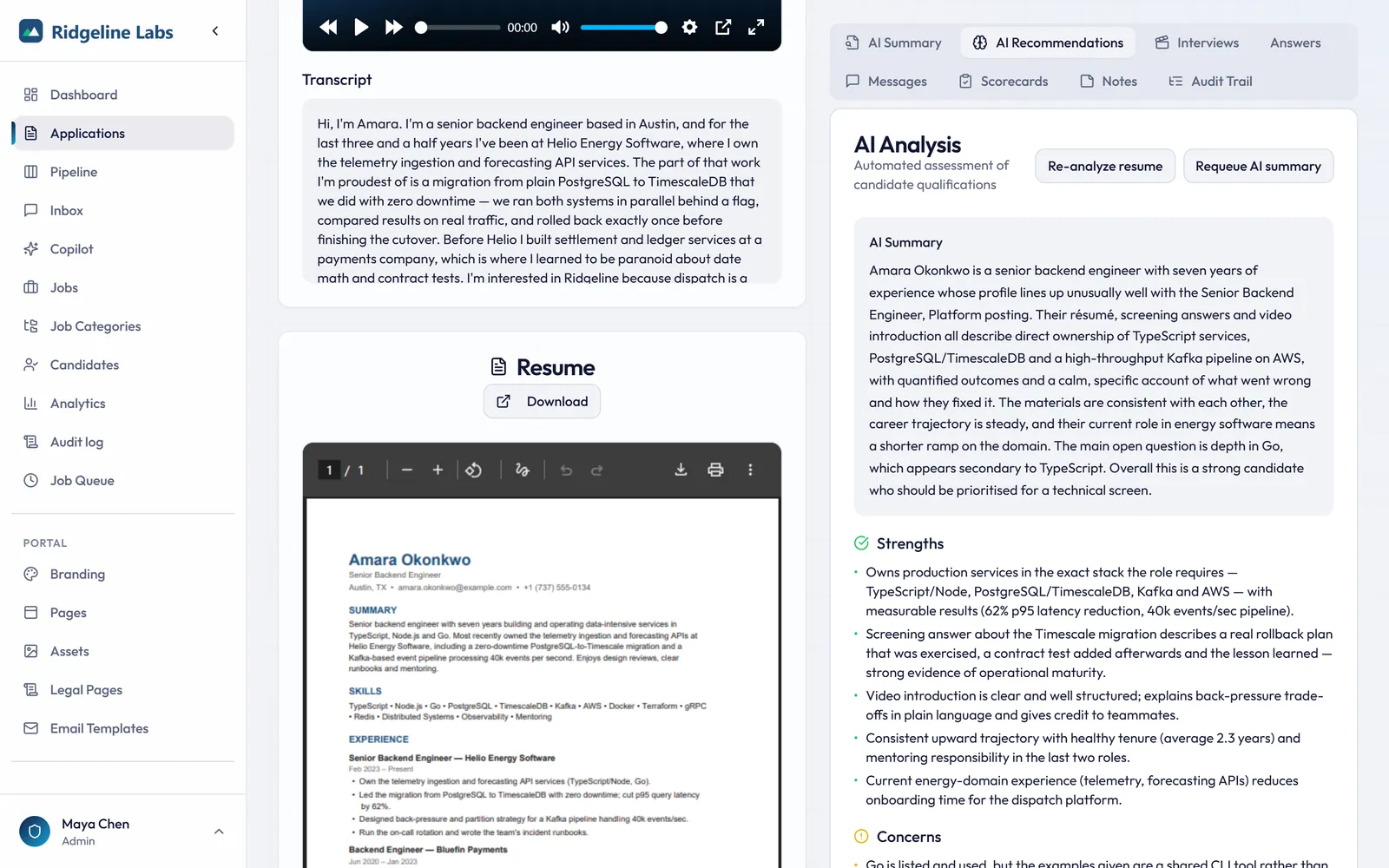
AI analysis with evidence for candidate review.
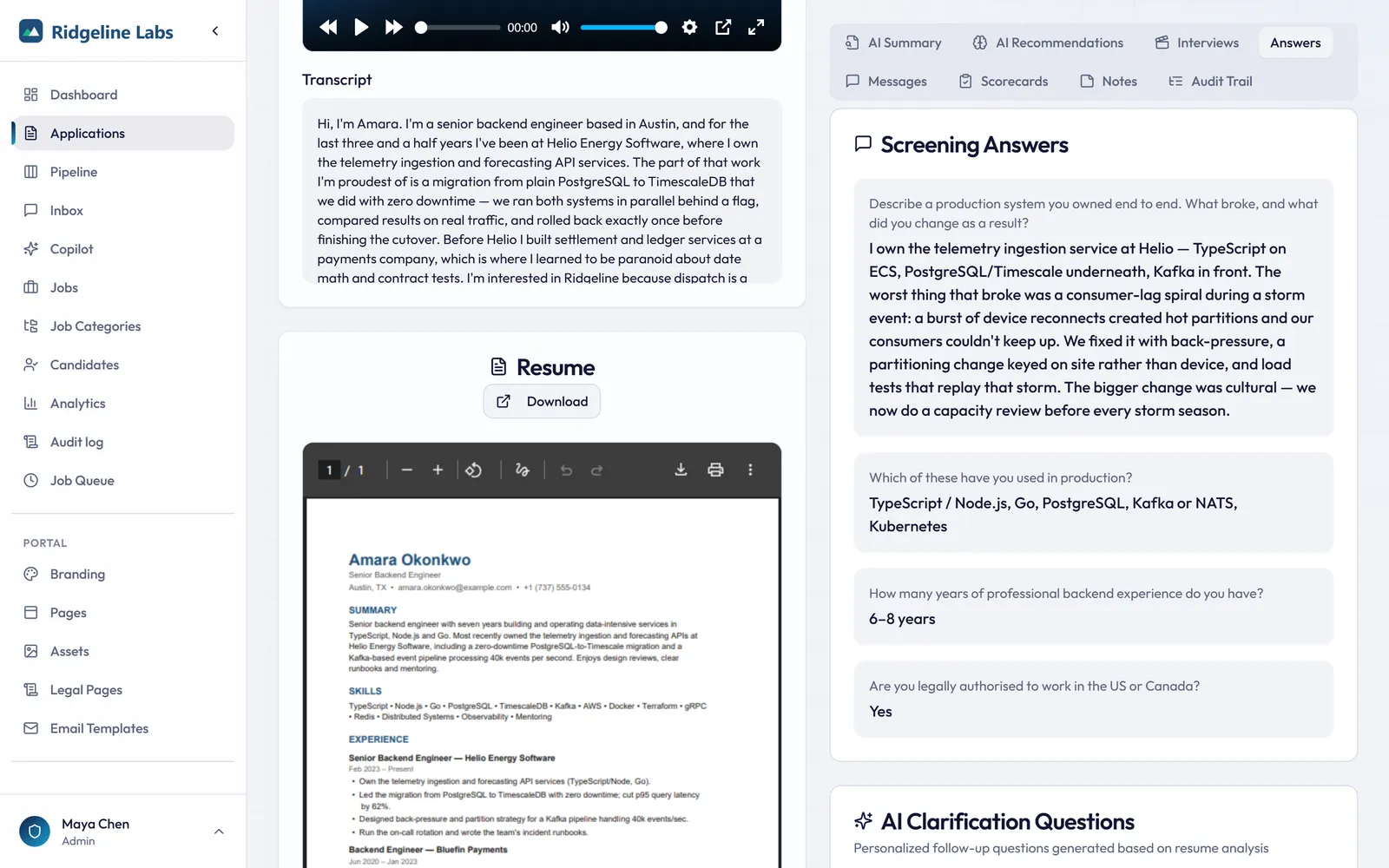
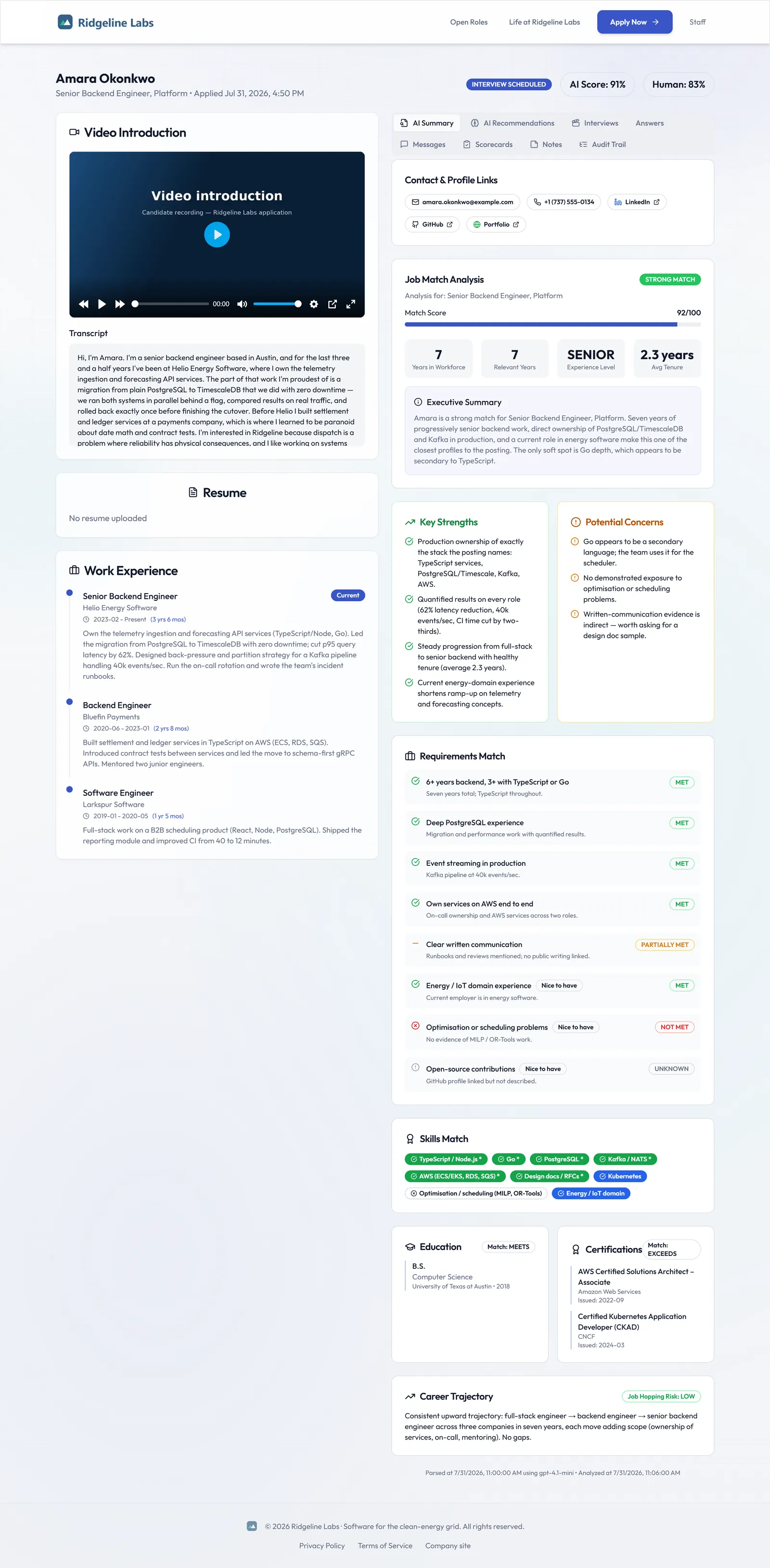
PaiSLEY parses the resume, compares it with the job, reads the screening answers and the video intro's transcript when there is one, and returns a 0 to 100 score your team can verify.
- Resume parsing for PDF and DOCX
- Job-specific fit score with requirement-by-requirement evidence
- Strengths, concerns, and discrepancies across resume, cover letter, and video
- AI clarification questions sent to the candidate automatically
- Rearrange, collapse, and save the review layout as your own default
- Runs on OpenAI, Anthropic, Gemini, or OpenRouter models, assigned per task
Want to see this with one of your own job postings?
Get started04 · Interview intelligence
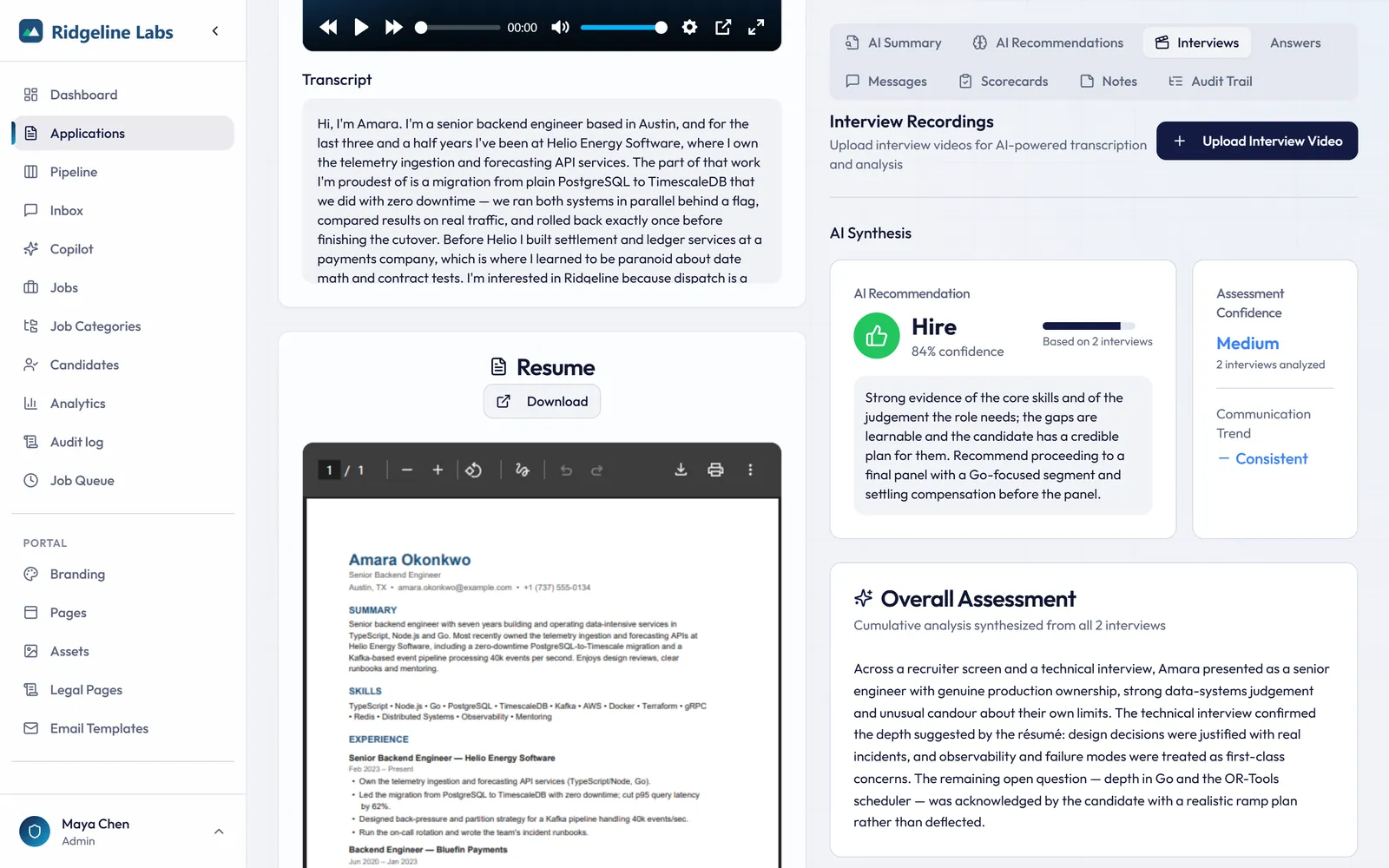
Record the interview, get the analysis, plus a synthesis across every round.
Interview synthesis combines each recorded round into one recommendation with confidence, contradictions, and what to probe next.
- Upload or record interviews with automatic transcription
- Per-interview insights: key points, communication, strengths, concerns, notable quotes
- Cross-interview synthesis with confidence and consistency checks
- Suggested questions for the next round
05 · Collaborative, bias-aware hiring
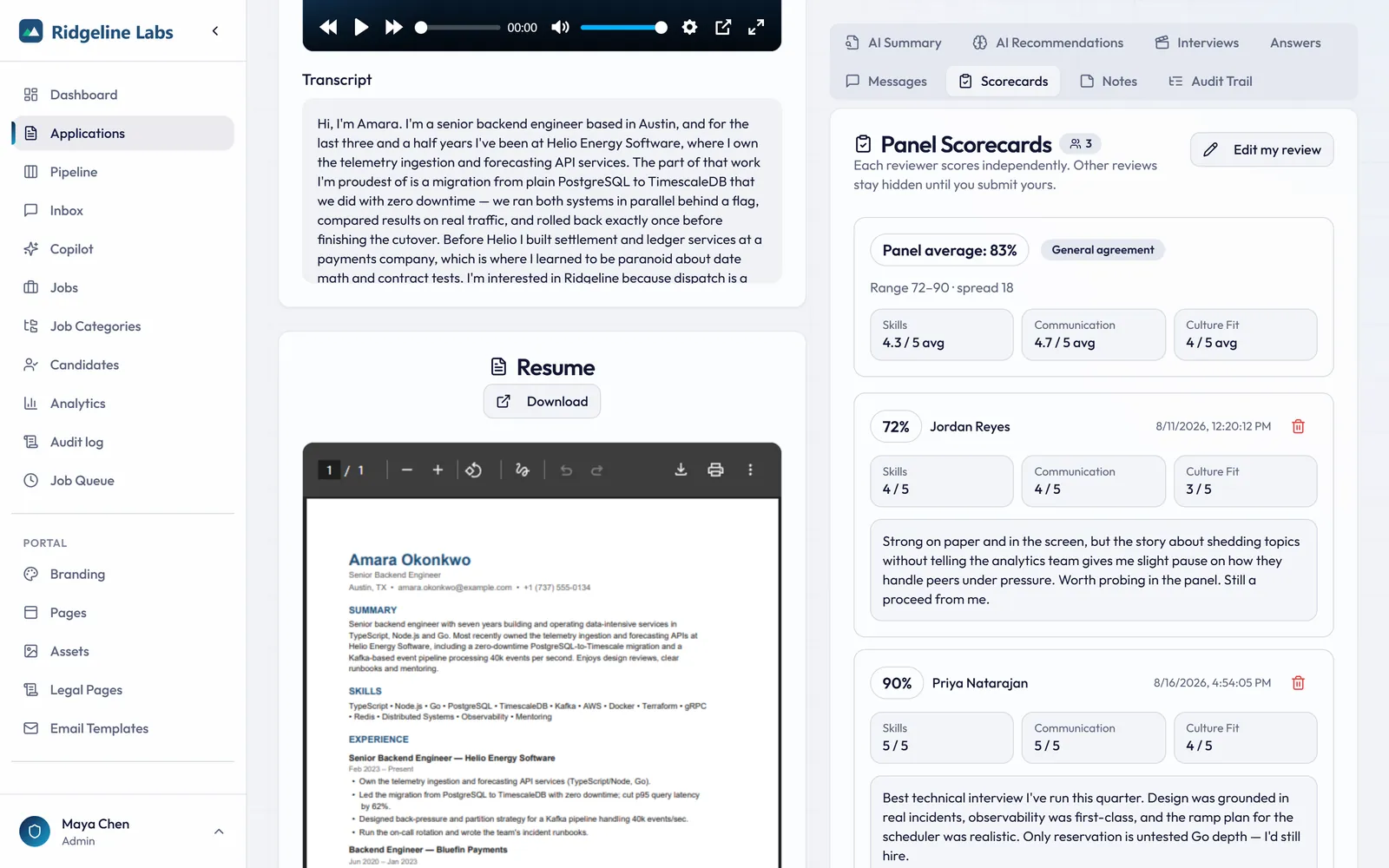
Independent scorecards, shared context.
Reviewers score blind, then compare: panel average, spread, and outliers become visible only after you submit your own scorecard.
- Blind scorecards revealed after submission, with panel average and spread
- Share links for hiring managers and clients, with optional video hiding and an expiry of up to 30 days
- Client shortlists: one link to the candidates you pick from a job, and the client's verdict and note on each one come back to the application
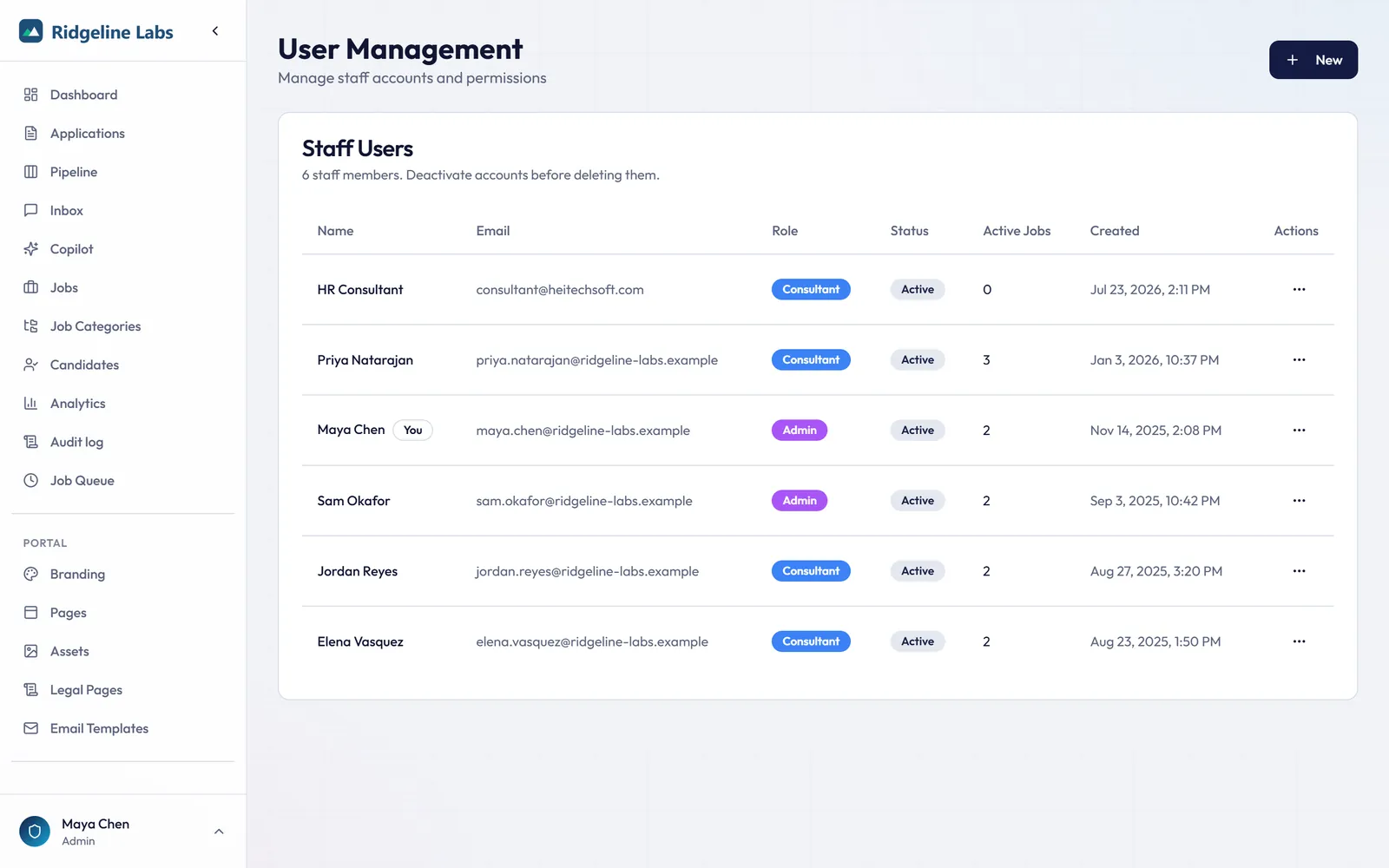
- Roles for admins and recruiters with per-job assignment (recruiters and assignment on eligible plans), and share links for hiring managers
- SSO (OIDC) and SCIM provisioning
06 · Pipeline & application management
From first click to offer, without losing anyone.
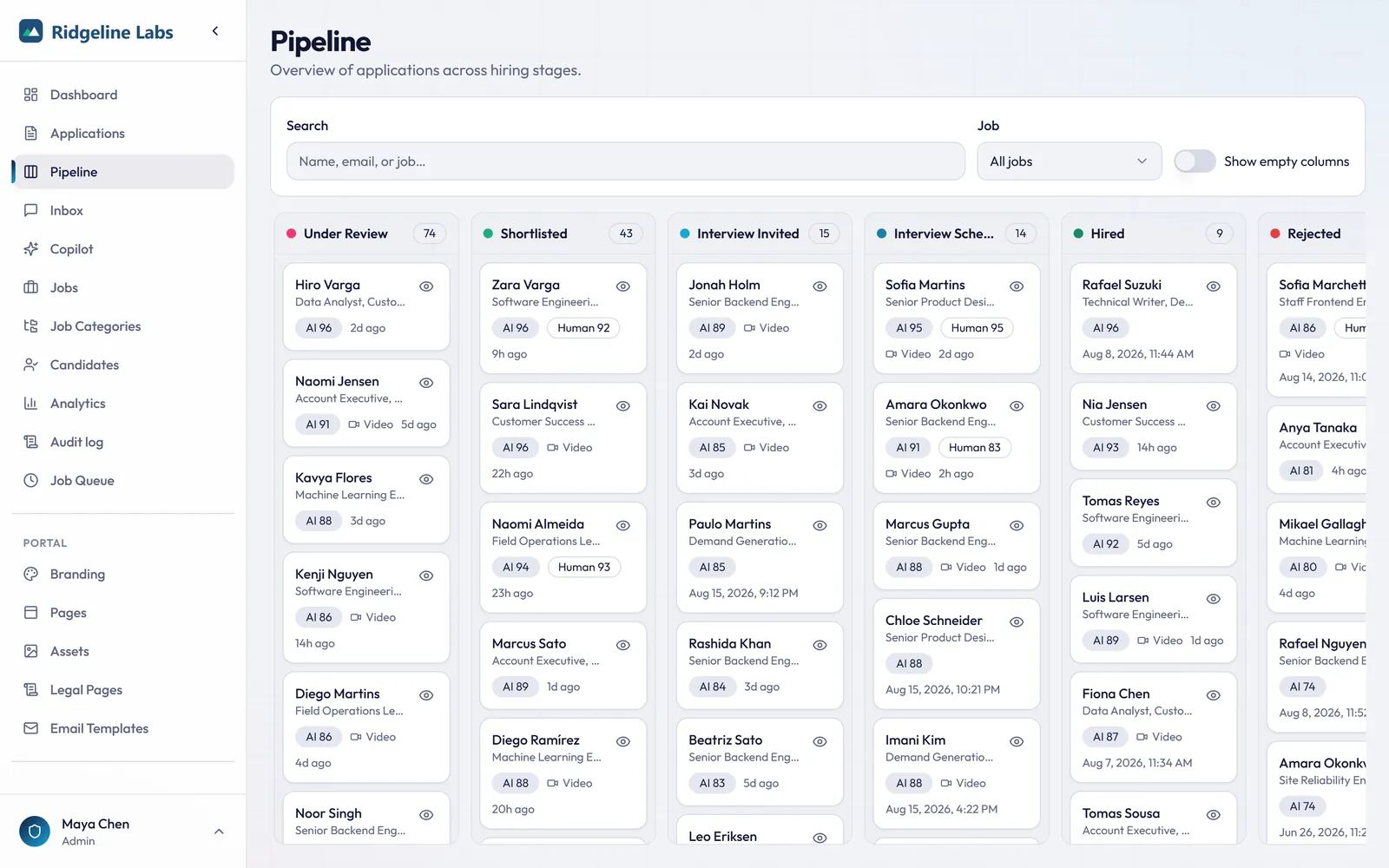
Drag candidates between stages on the Pipeline board, or change status from the candidate record and in bulk. Every change lands in the audit log.
- Drag-and-drop pipeline board by stage with AI score, human score, and last activity (on eligible plans)
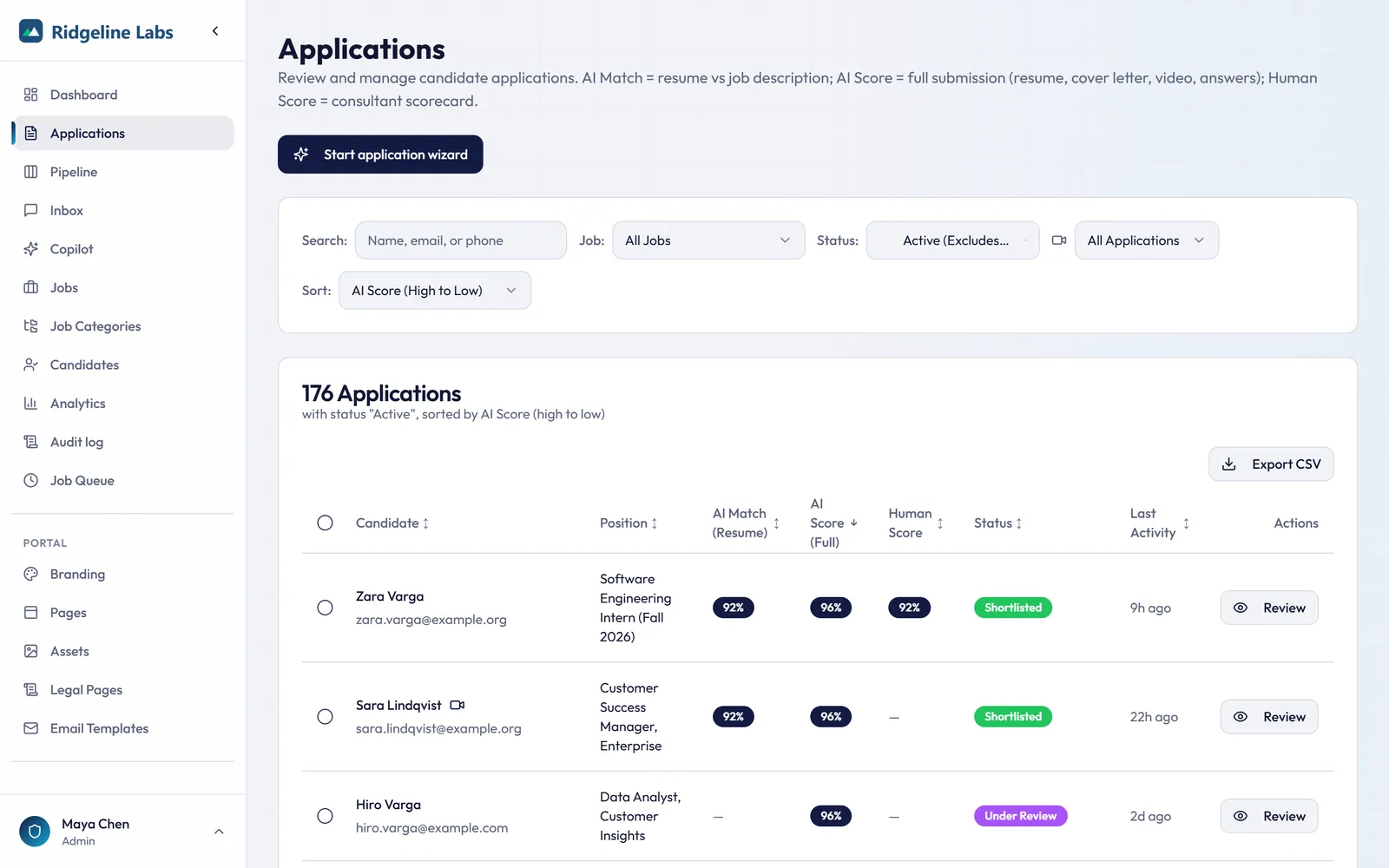
- Applications table with filters, sortable scores, unread badges, columns you choose, a default sort, saved views, and CSV export
- Bulk reject or move, plus status-change emails from templates
- Invite links with tracking and recruiter resume upload on a candidate's behalf
- Share a job on LinkedIn, X, or Facebook from your own account, with the post written from the job
07 · Analytics & reporting
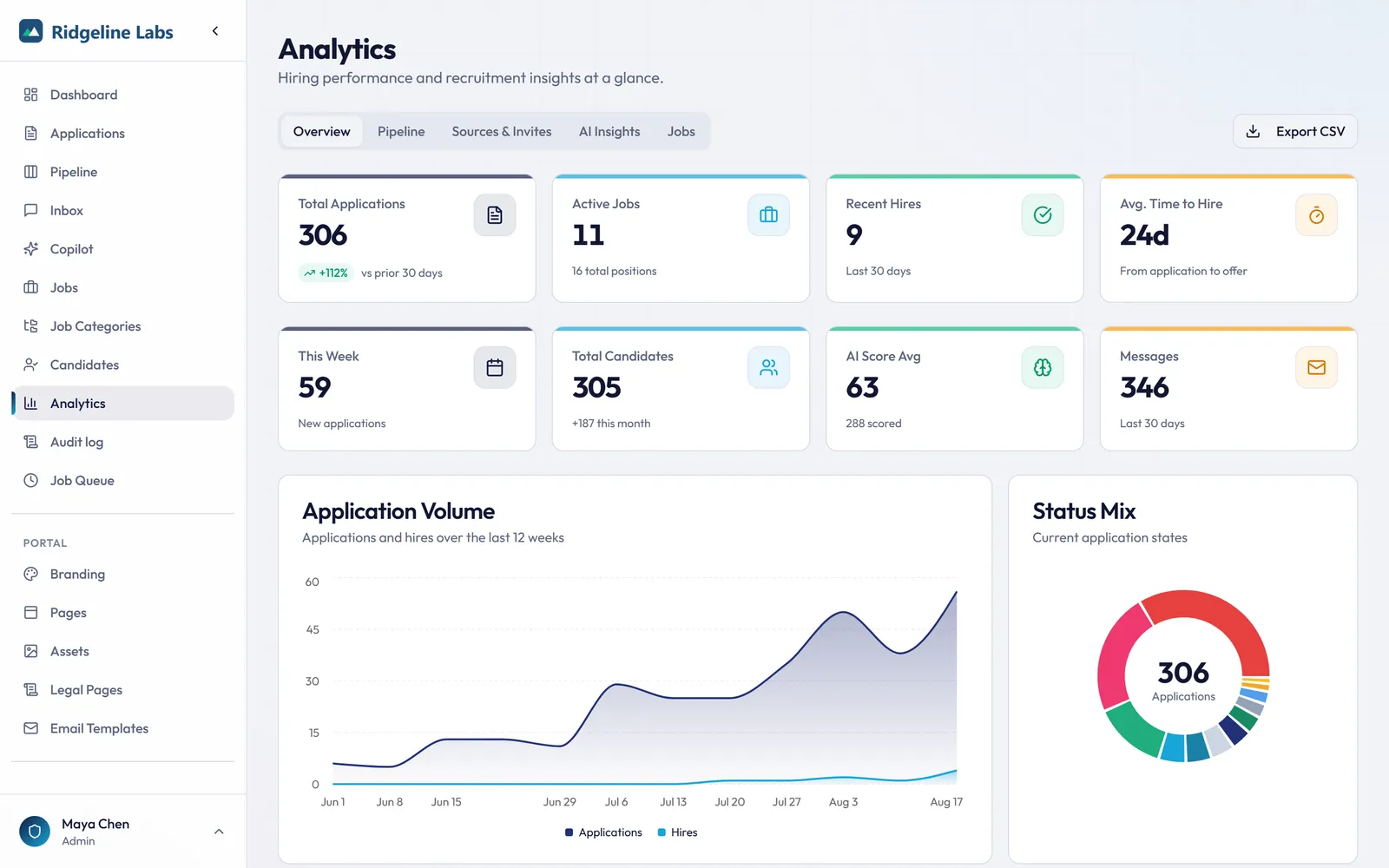
Hiring metrics your leadership will actually read.
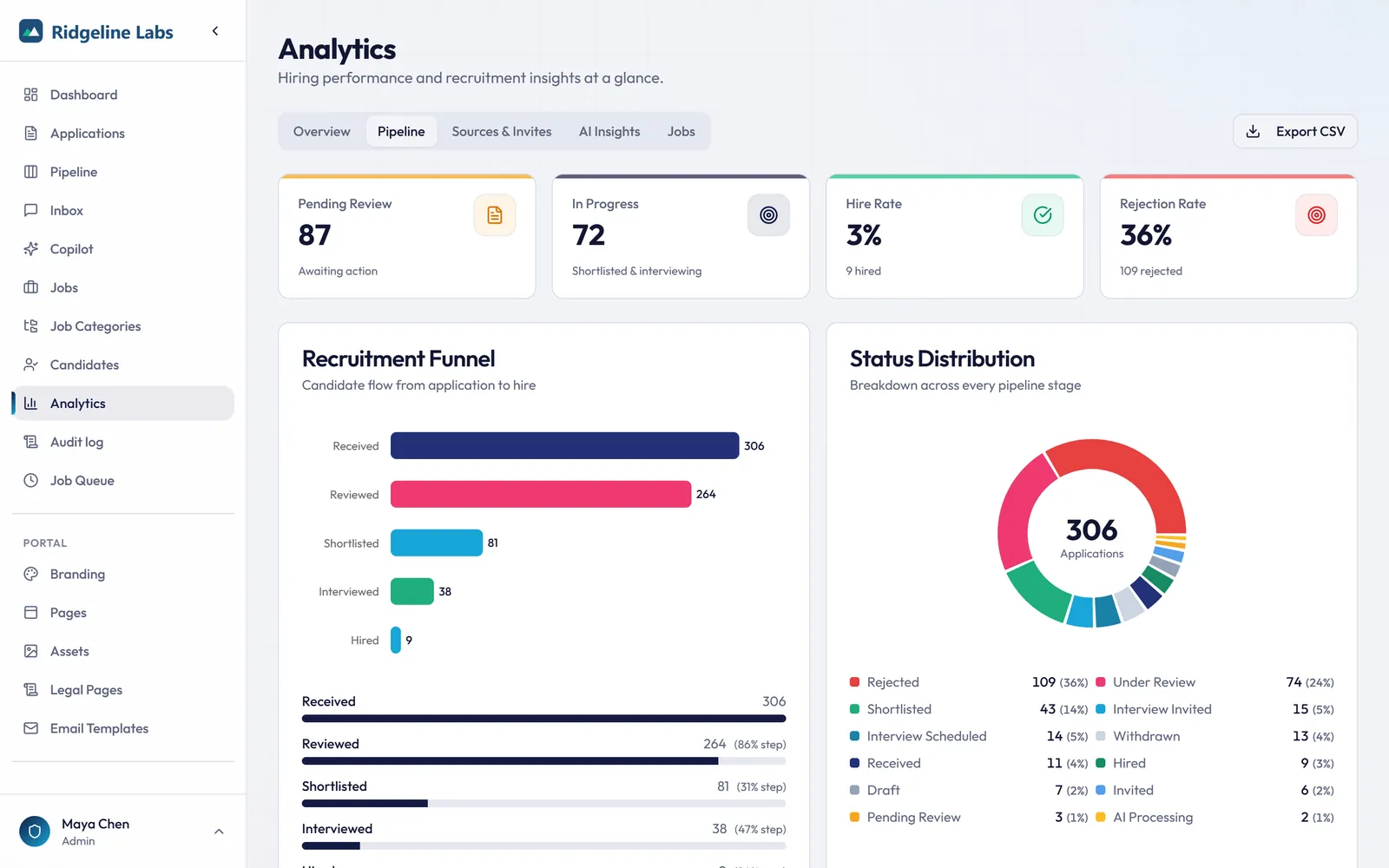
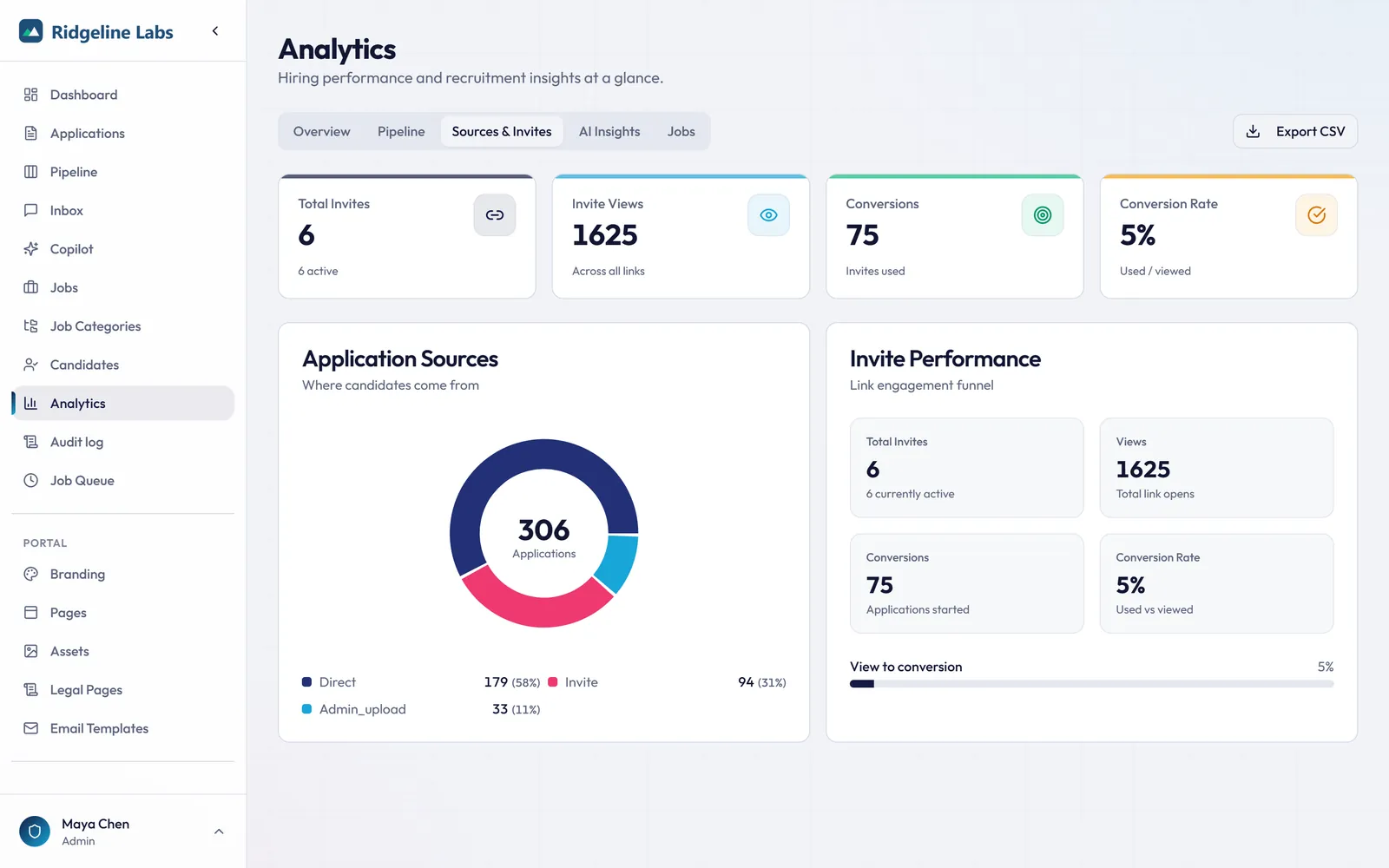
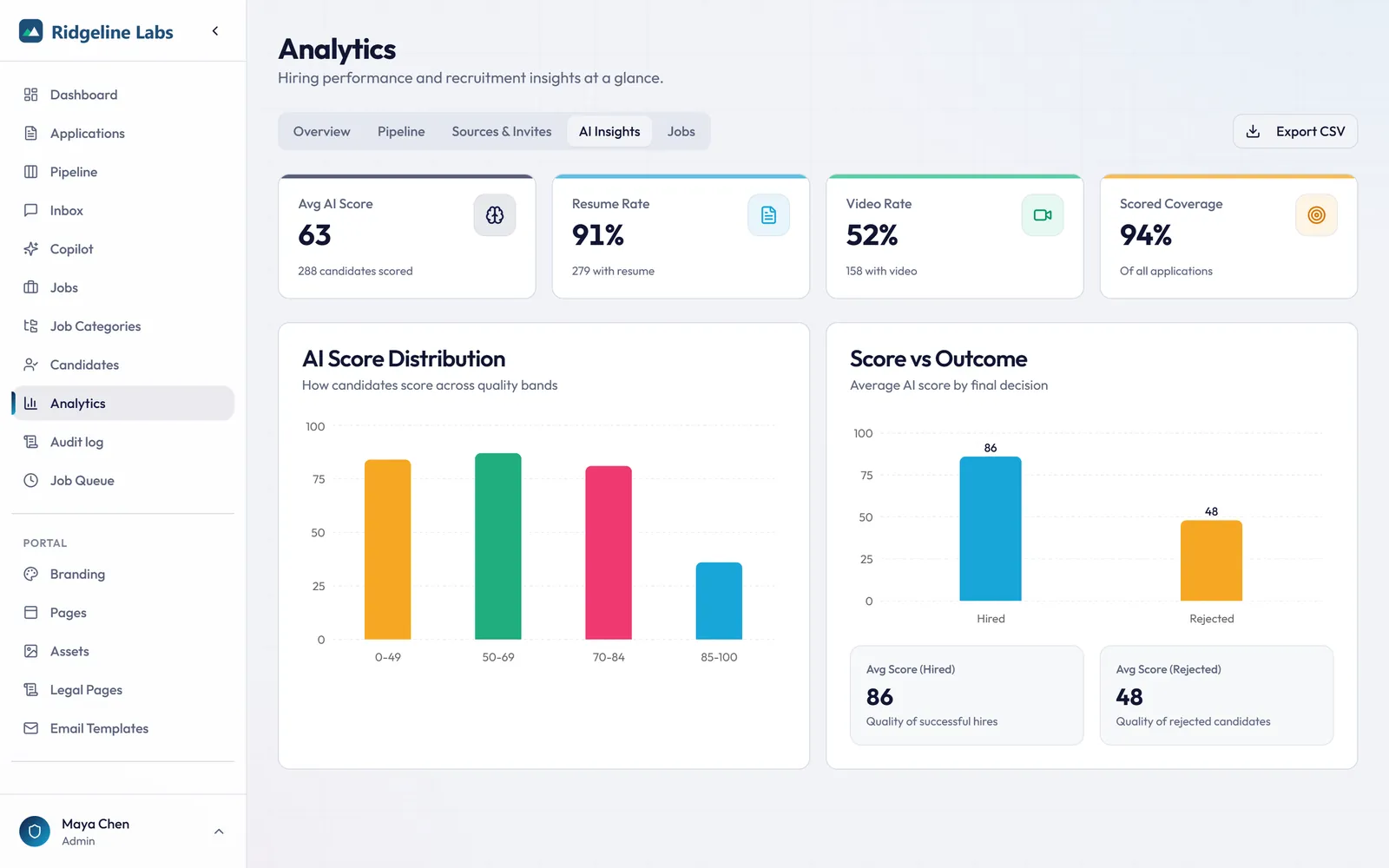
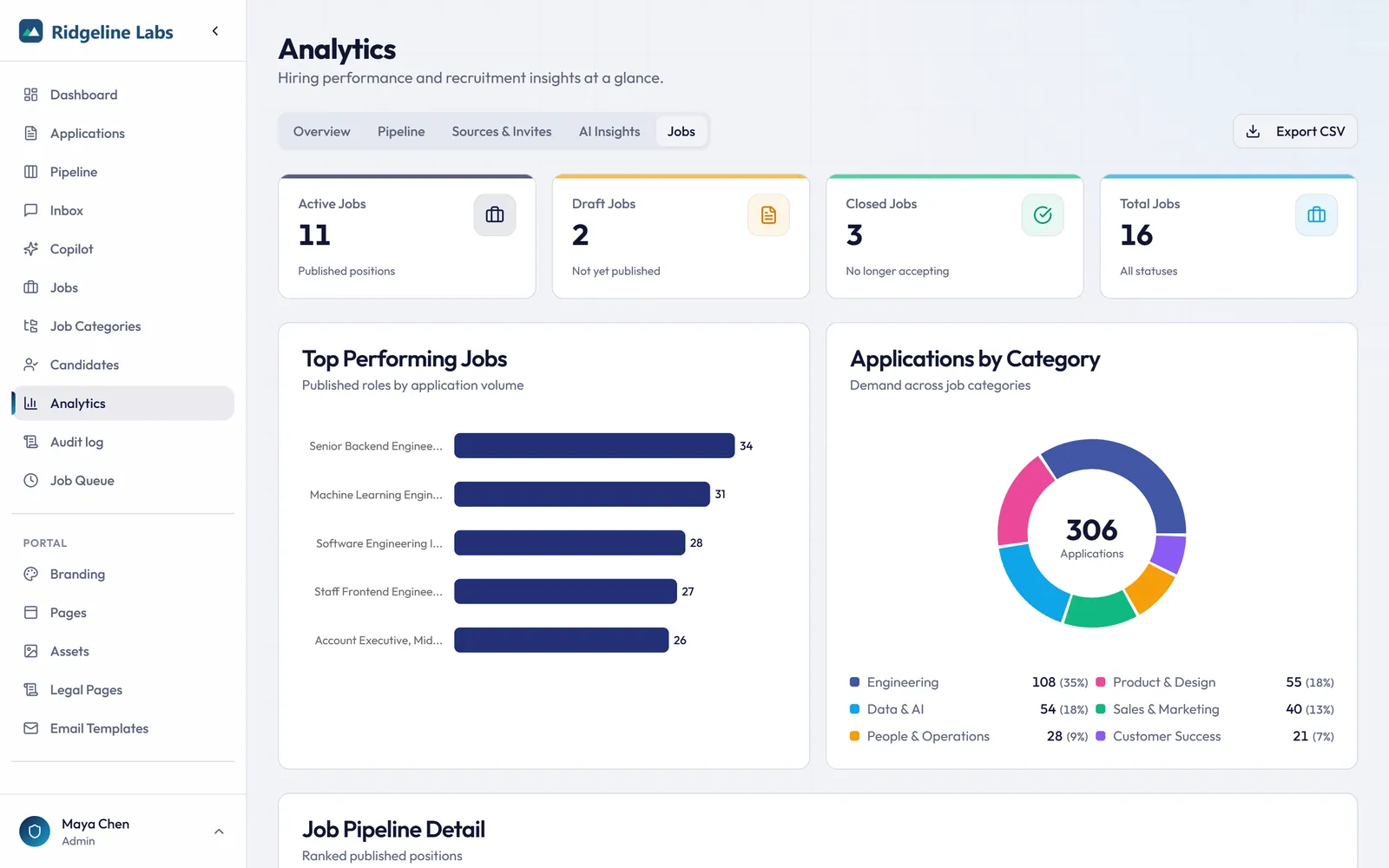
Twelve-week trends, funnel conversion per step, source attribution, and AI score versus outcome, all exportable. On eligible plans.
- Overview KPIs with growth versus the prior 30 days
- Recruitment funnel from received to hired with step conversion
- Source and invite-link attribution
- AI score distribution compared with hire and reject outcomes
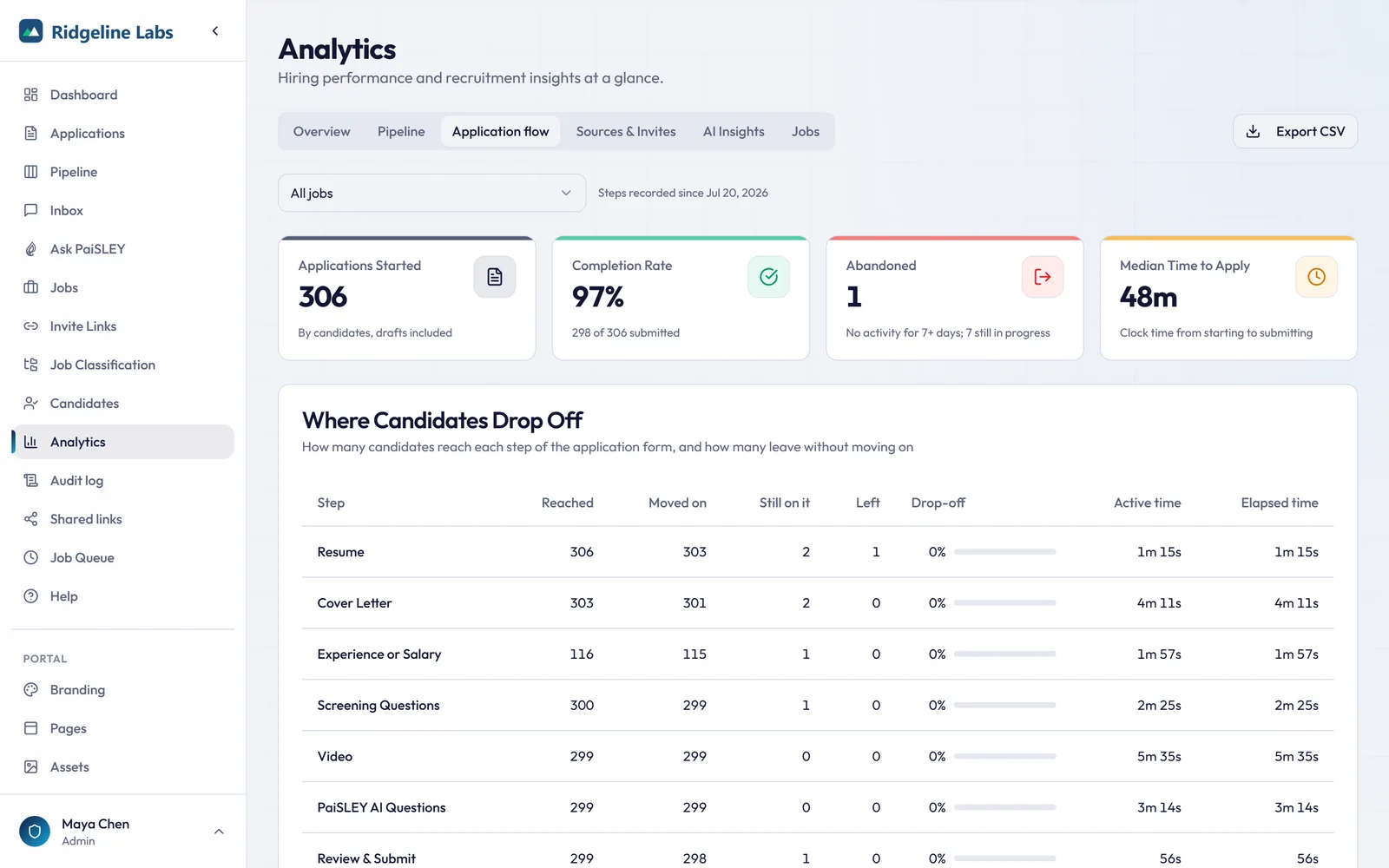
- Where candidates drop off in the application form, step by step and job by job
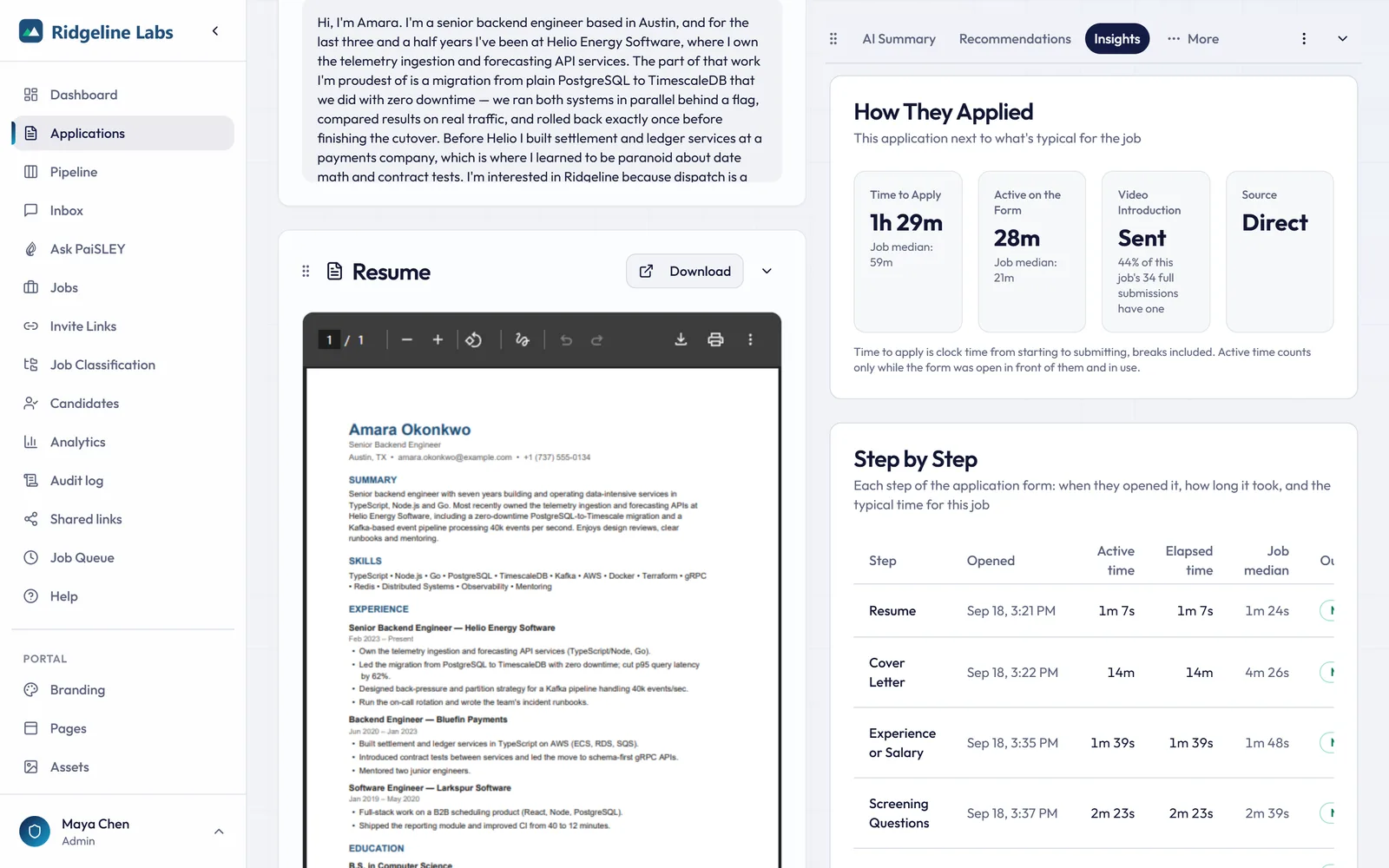
- An Insights tab on each application that compares how the candidate applied with the job’s other candidates
Want to see this with one of your own job postings?
Get started08 · Ask PaiSLEY
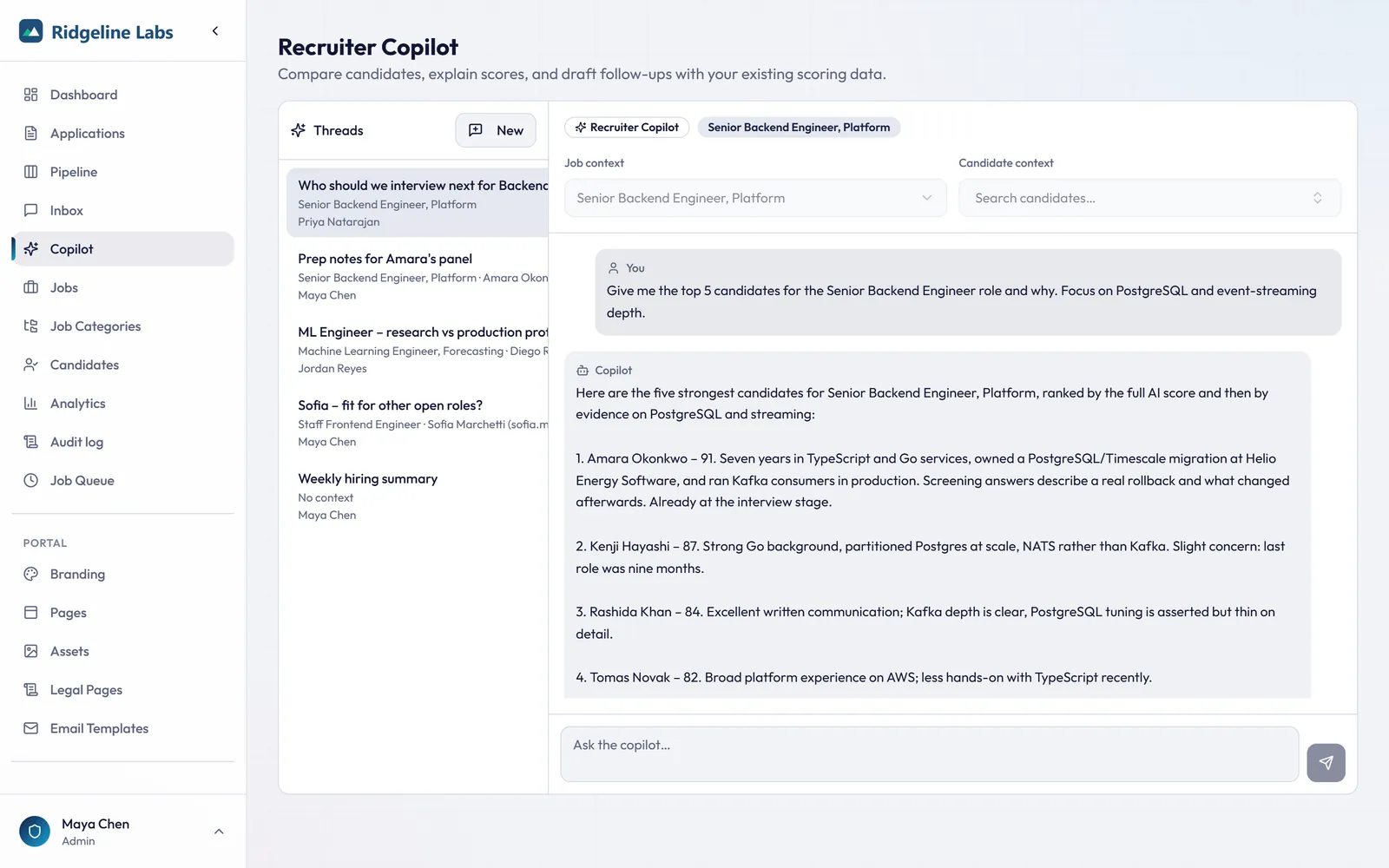
Ask your pipeline a question.
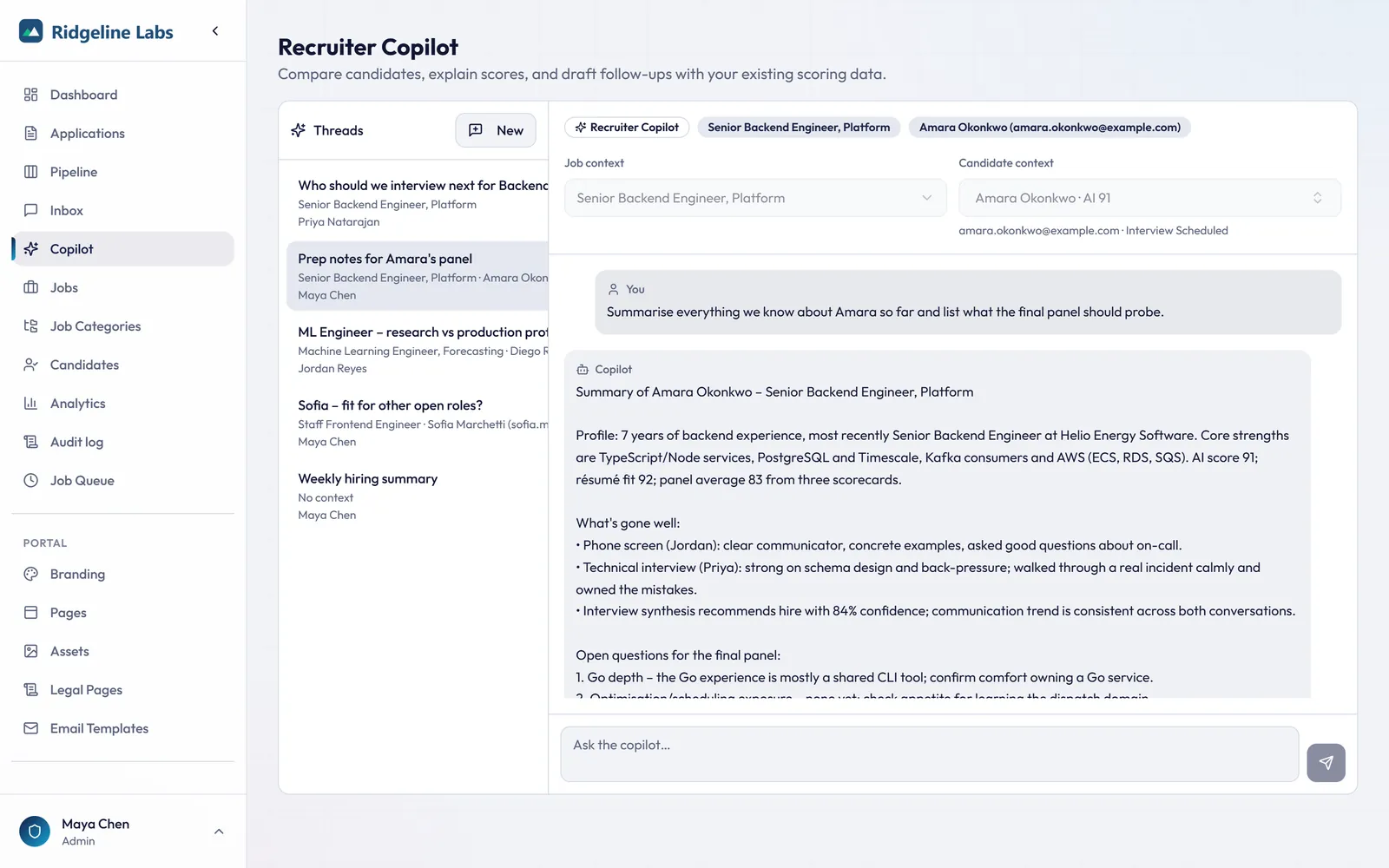
On eligible plans, put a job or a candidate in context, then rank, compare, summarize, or draft outreach, grounded in your own data.
- Compare your top candidates for a role with reasons
- Explain why a candidate scored what they scored
- Draft follow-ups and interview invitations
- Provider agnostic, running on the model assigned to it
09 · Talent pool & re-engagement
Silver medalists never get lost again.
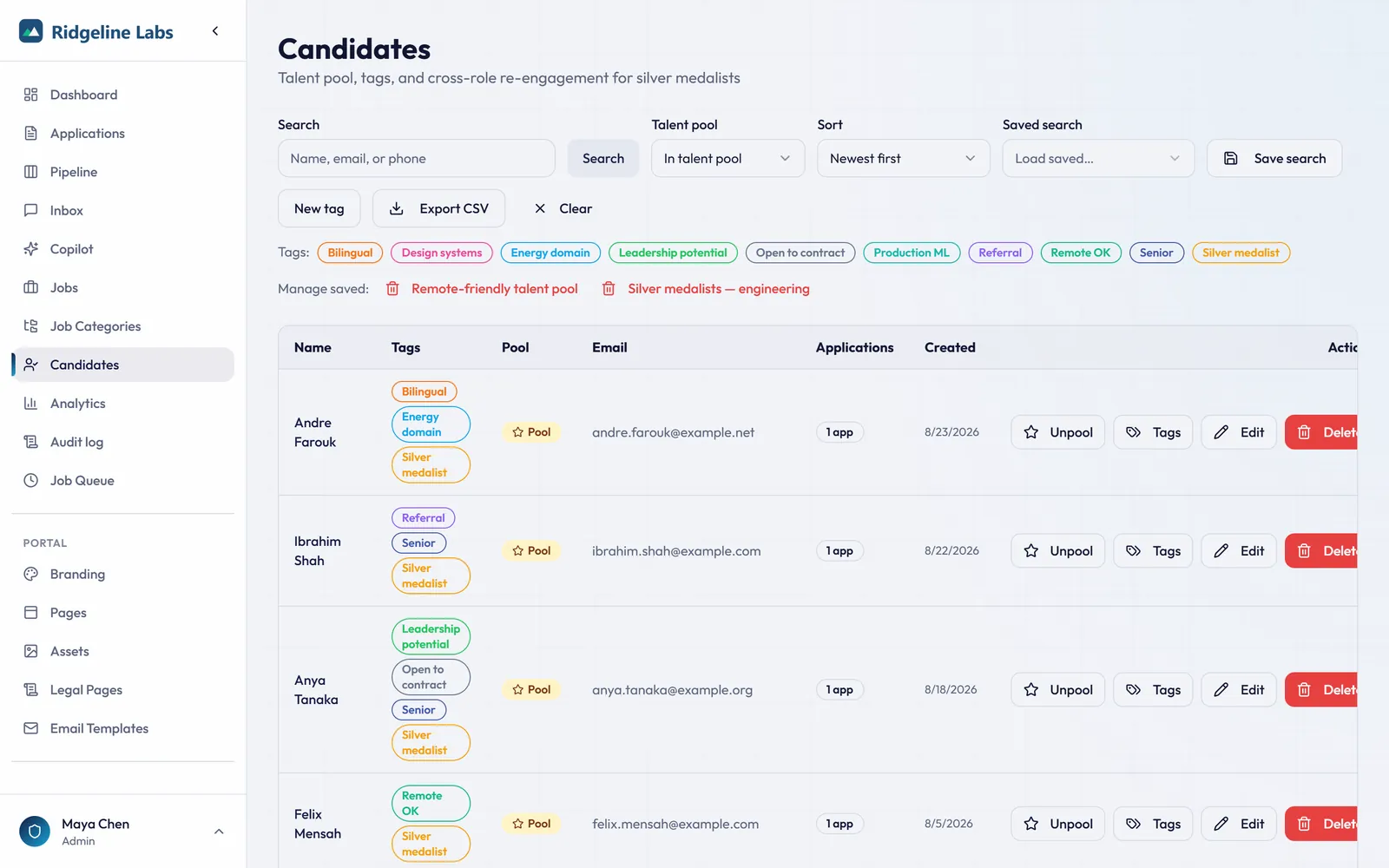
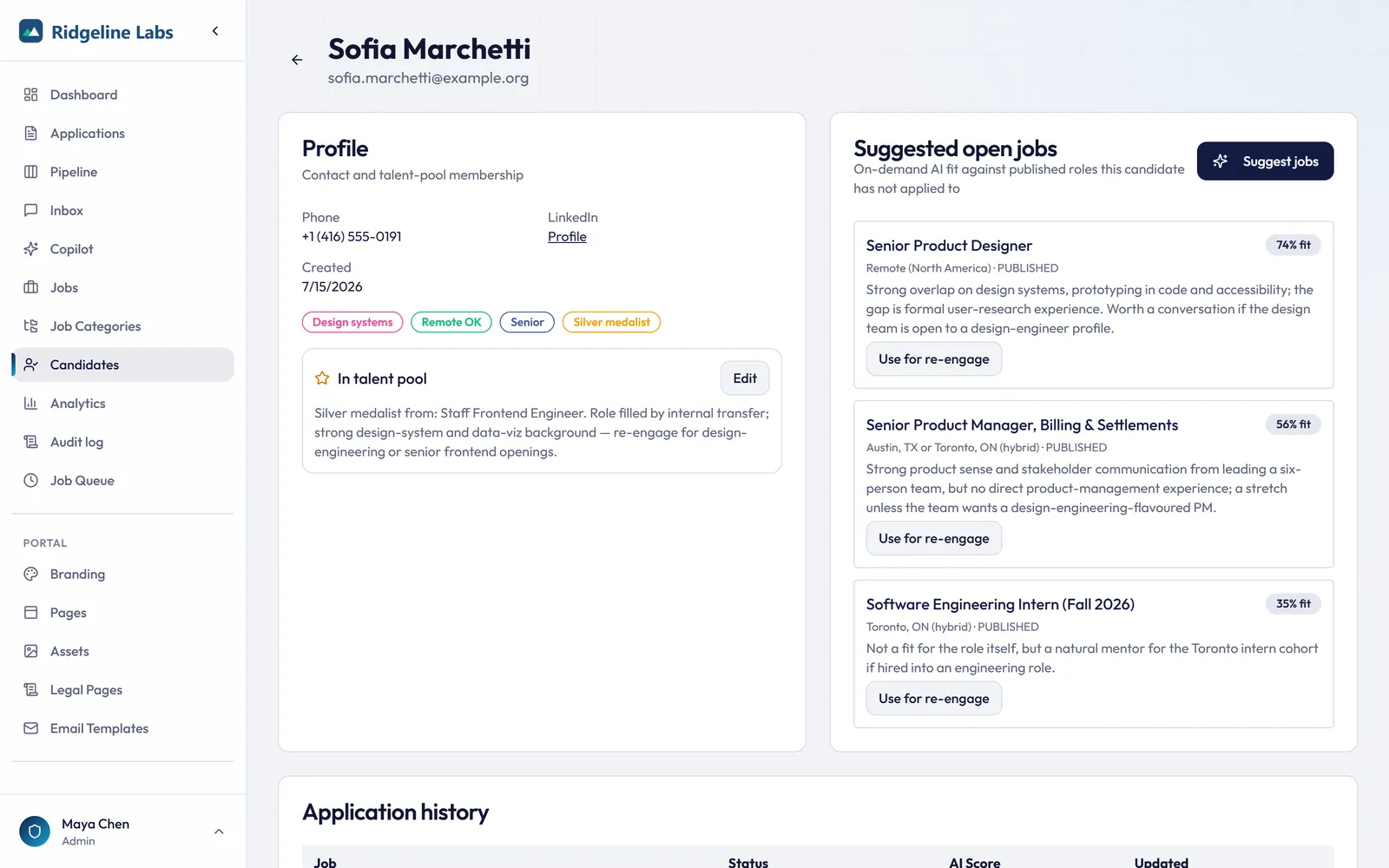
Add strong runners-up to the Talent pool on rejection, then let AI match them to new openings and draft the re-engagement note.
- One-click add to pool, with tags and saved searches
- AI job matching for past candidates, scored and summarized
- AI-drafted re-engagement emails tied to a specific role
- Or start the invite from a standard message or one of your templates
- Full application history on every candidate record
10 · Messaging & inbox
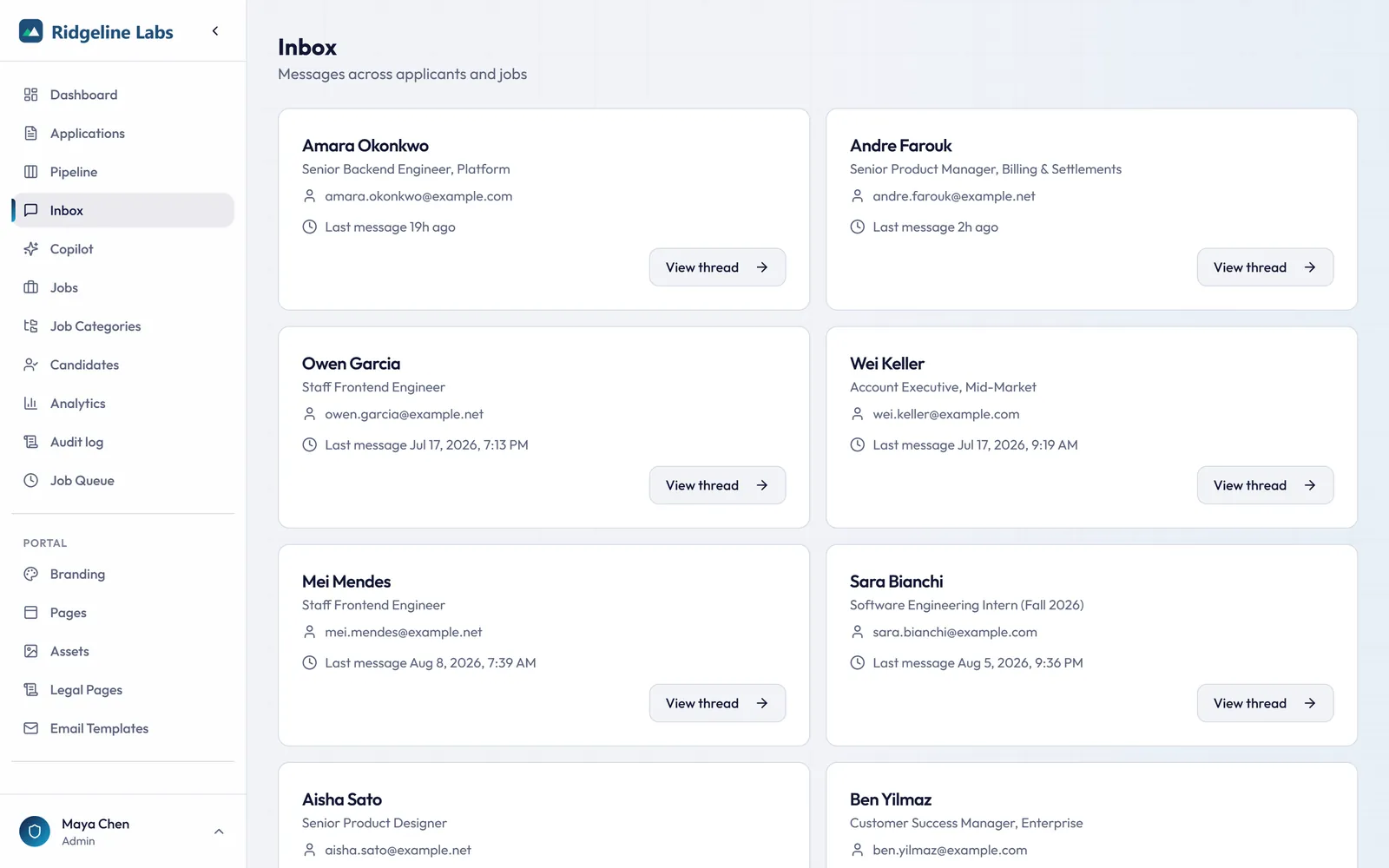
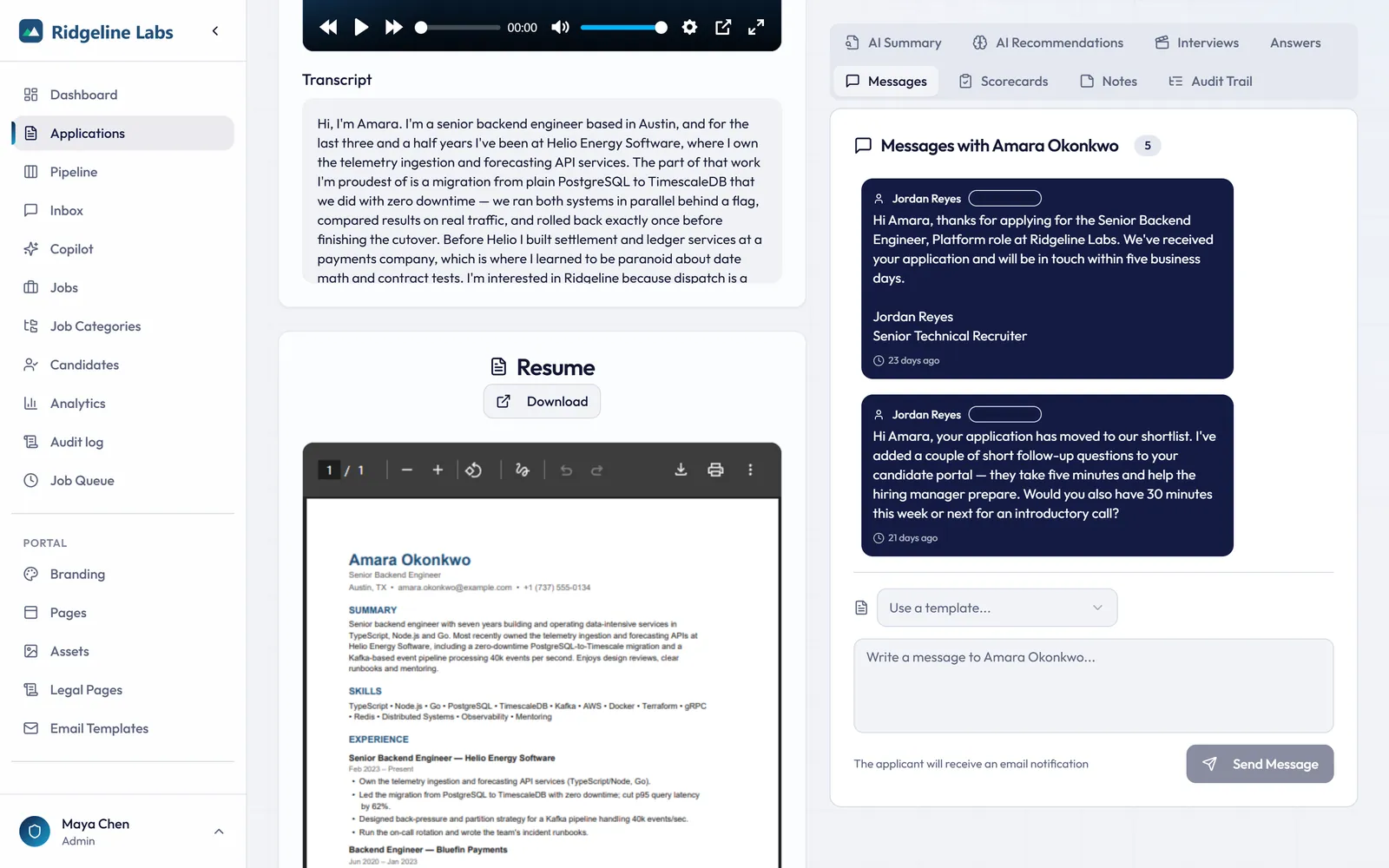
One inbox for every candidate conversation.
Threaded, in-portal messaging with templates keeps candidate communication out of scattered email chains.
- Staff inbox with unread counts per conversation
- Two-way thread beside the candidate's resume and AI analysis
- Template picker with variables for common replies
11 · Branded careers site & white-label
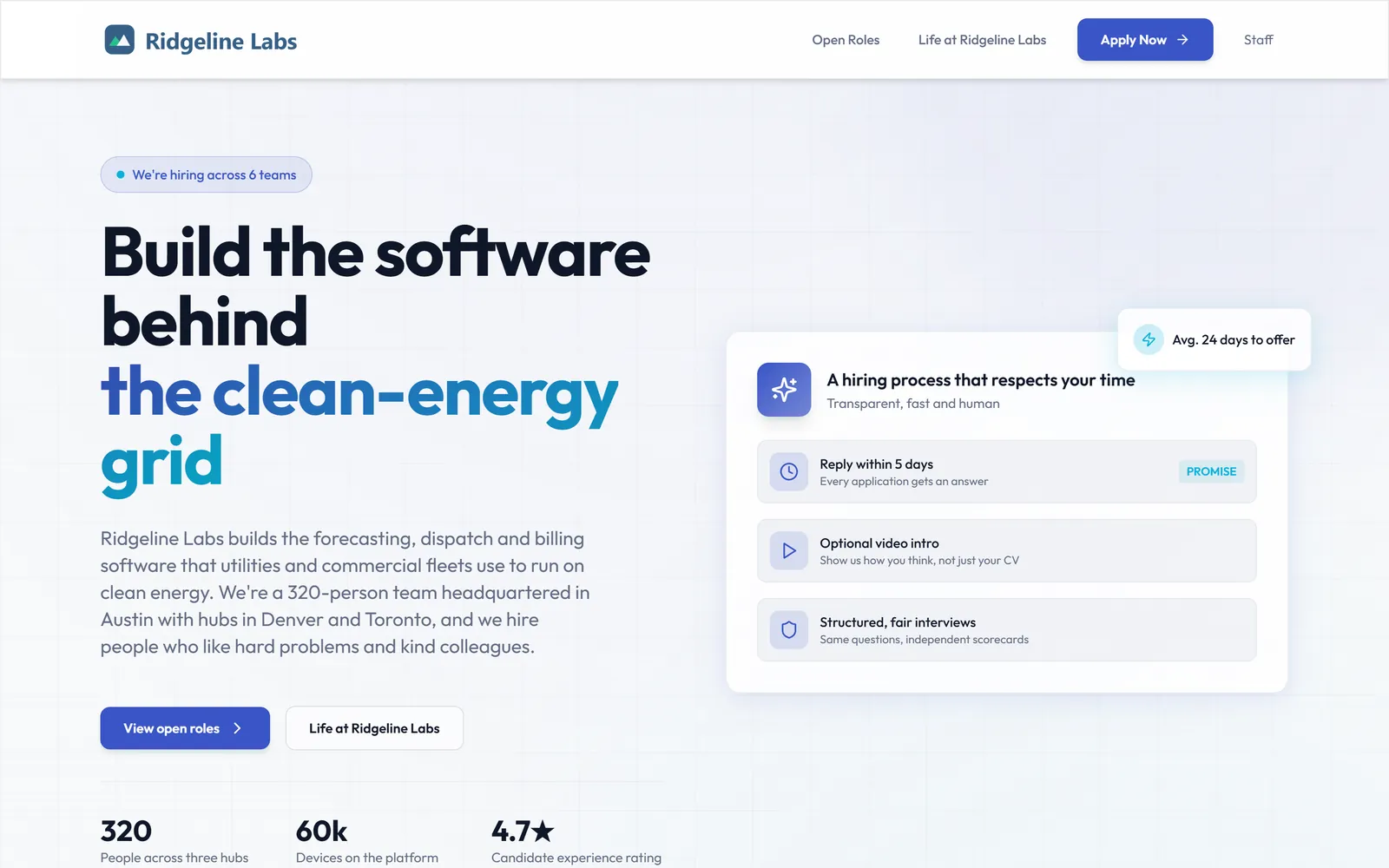
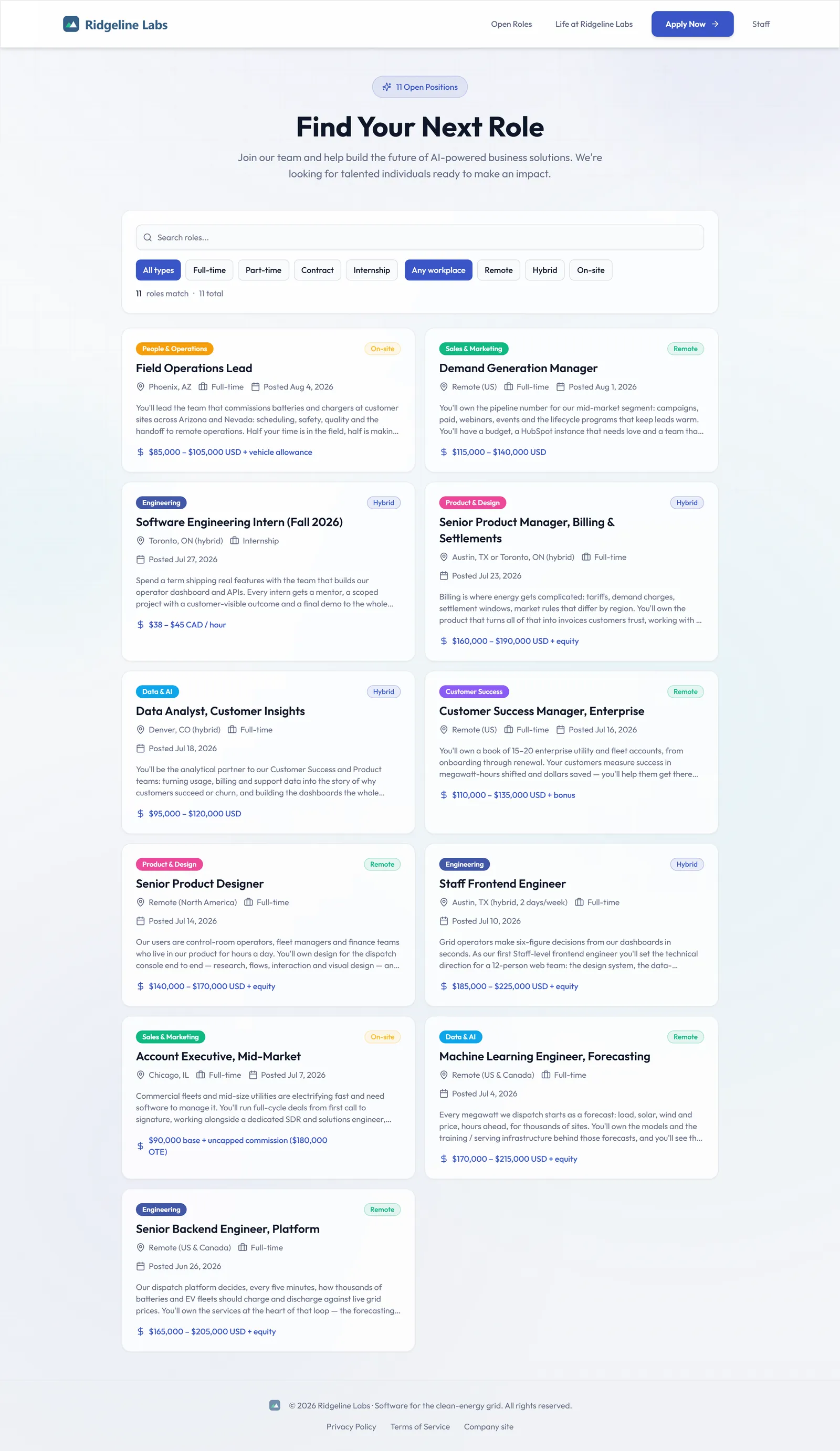
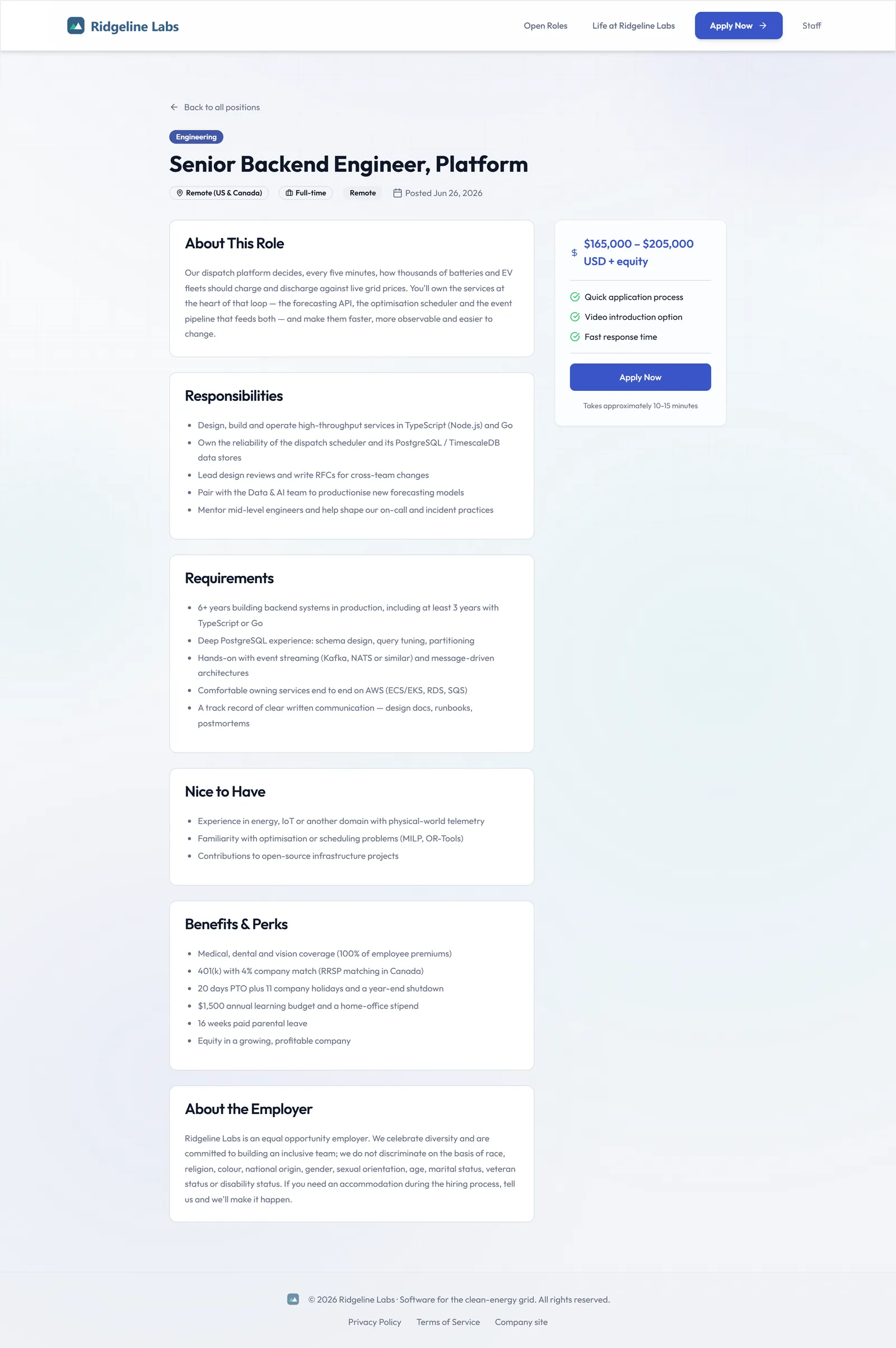
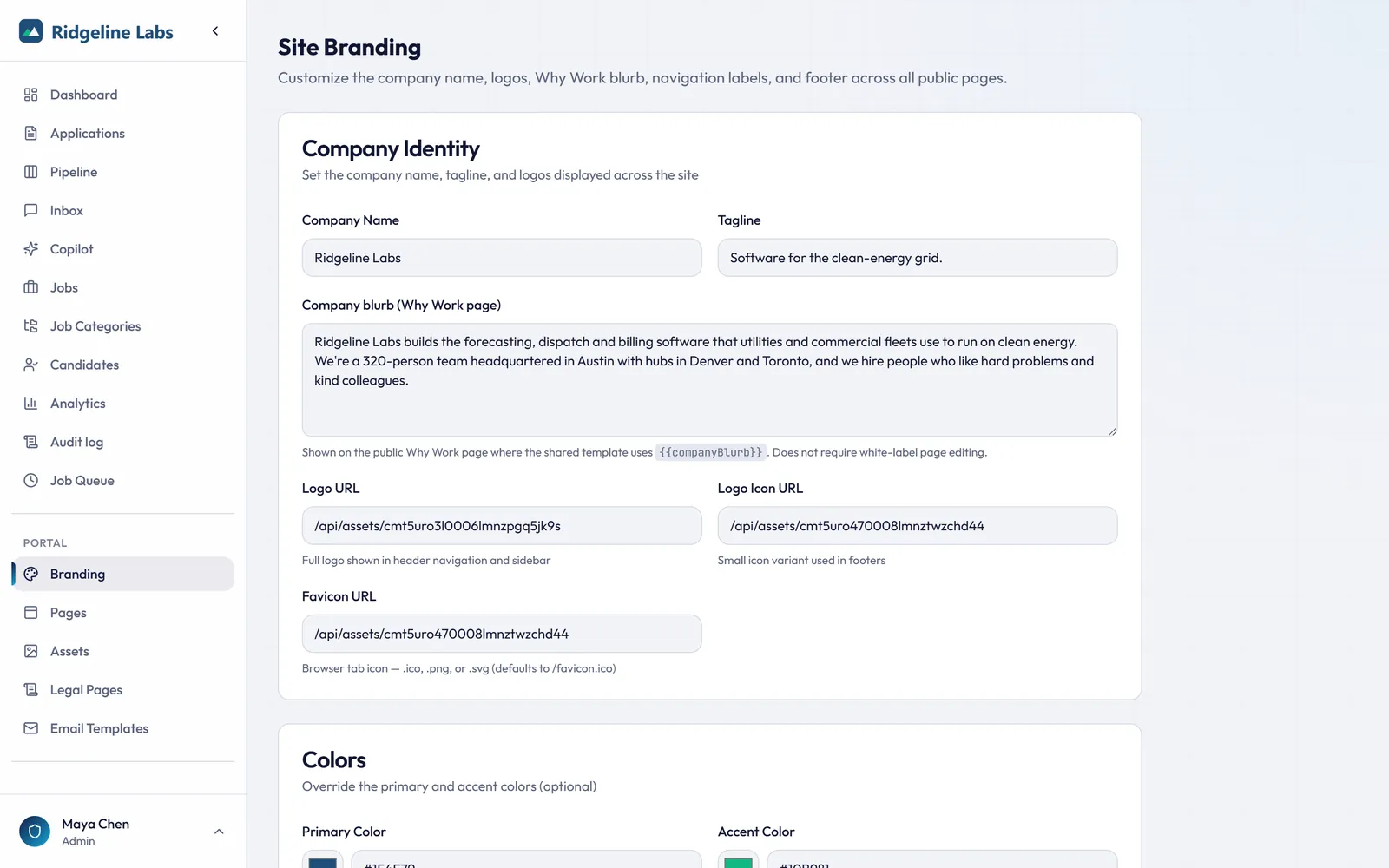
Your brand, your domain, your careers site, built in an afternoon.
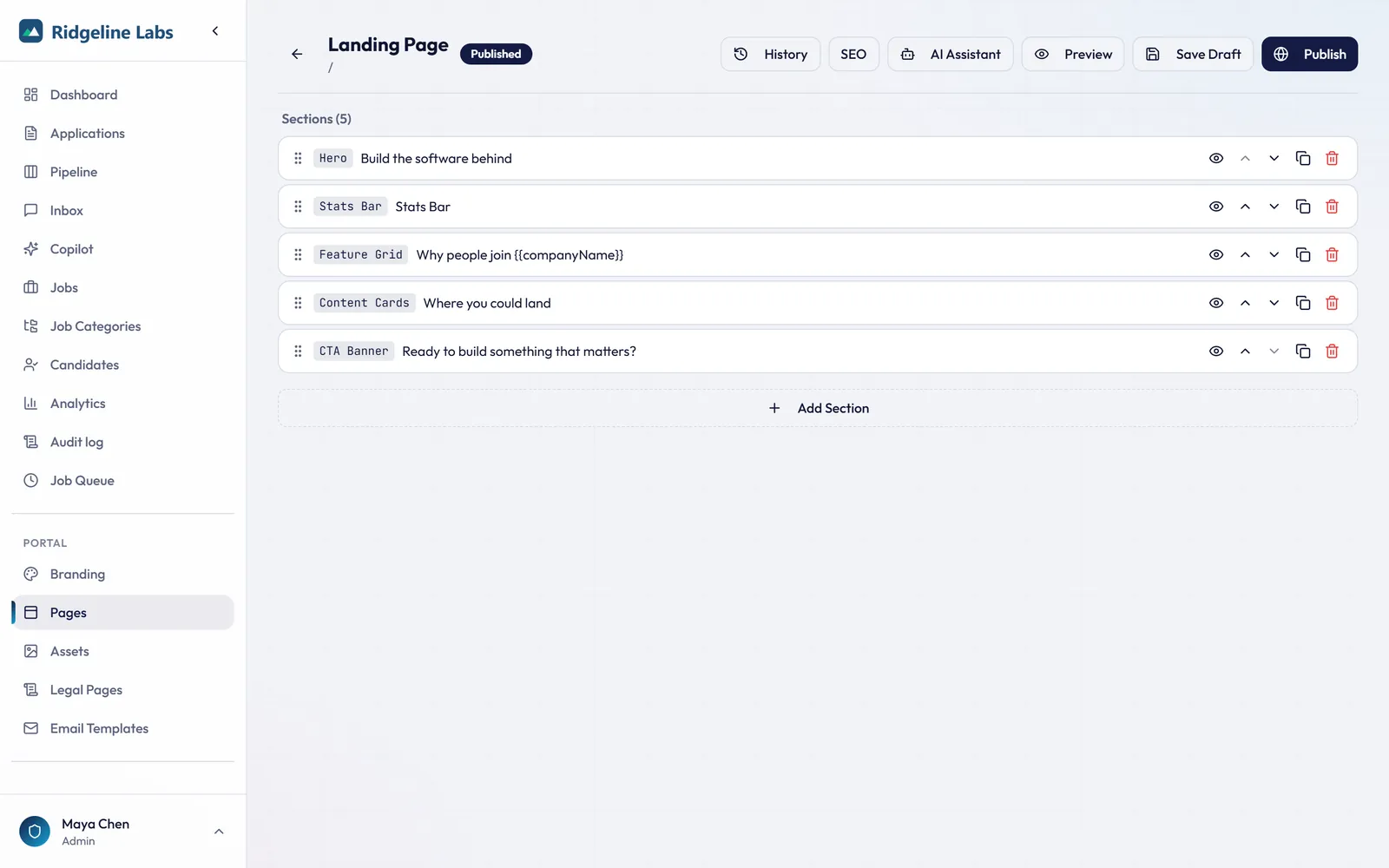
The Page builder assembles hero, stats, features, teams, and CTA sections, with version history and an AI page assistant.
- Page builder with version history and AI assistance (on eligible plans)
- Custom domains and full white-label branding settings
- Google for Jobs structured data and a standard XML job feed
- Public job board and structured job postings with an apply card
- Job search by keyword and by distance from a Canadian postal code or US ZIP code
- On eligible plans, an AI page assistant that can write a page from a company document you attach (PDF, Word, text, or Markdown)
12 · Candidate experience
An application candidates actually finish.
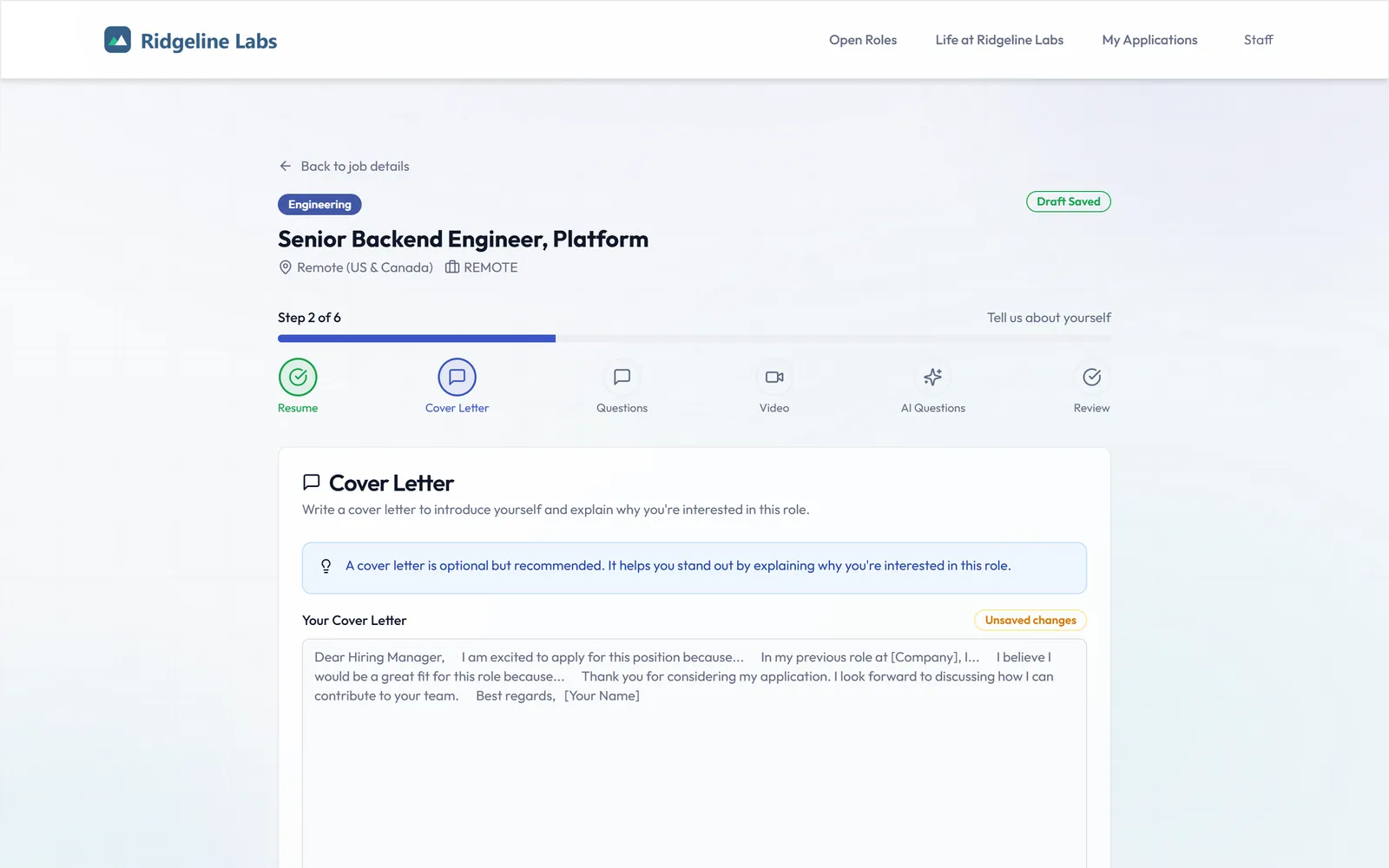
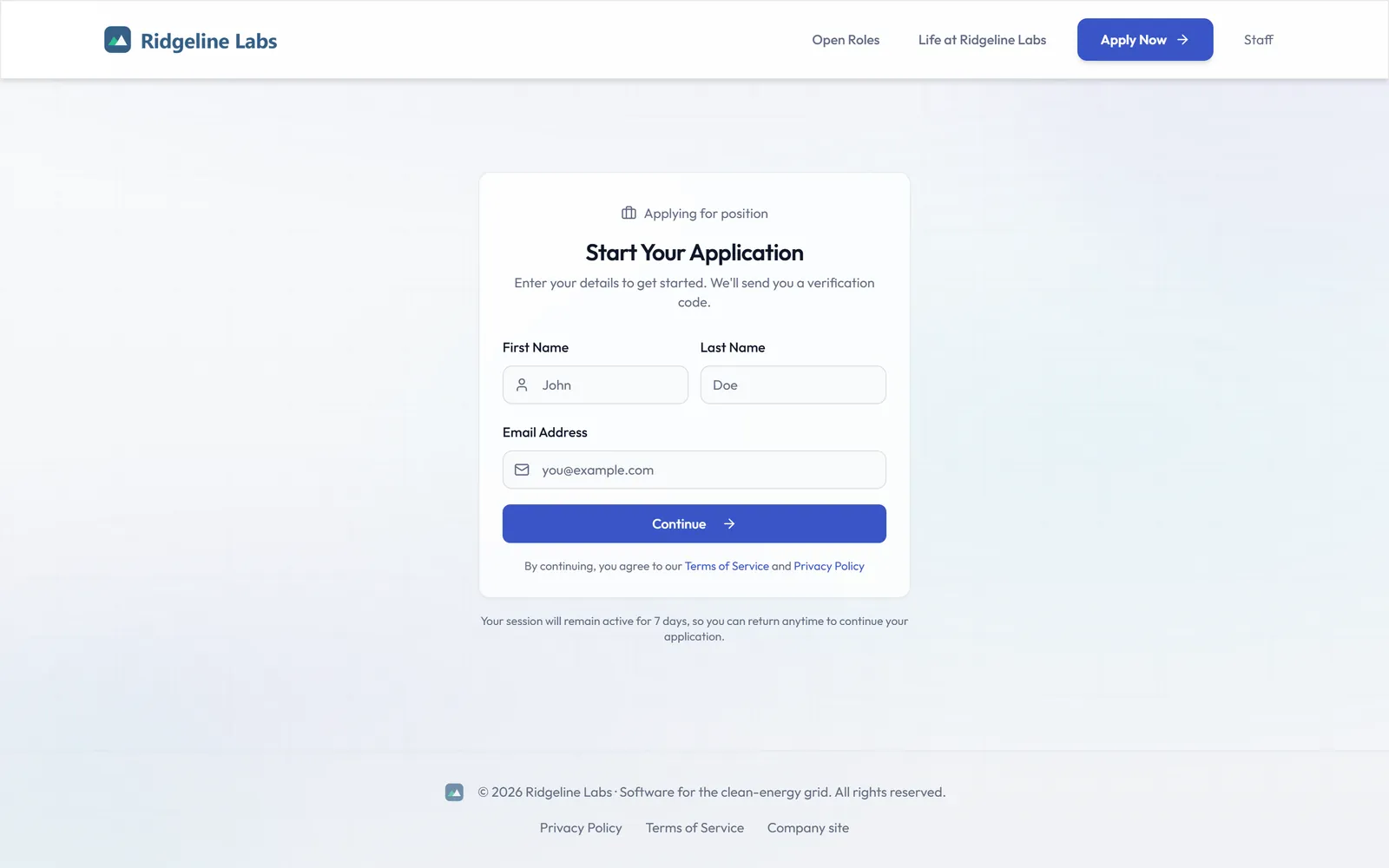
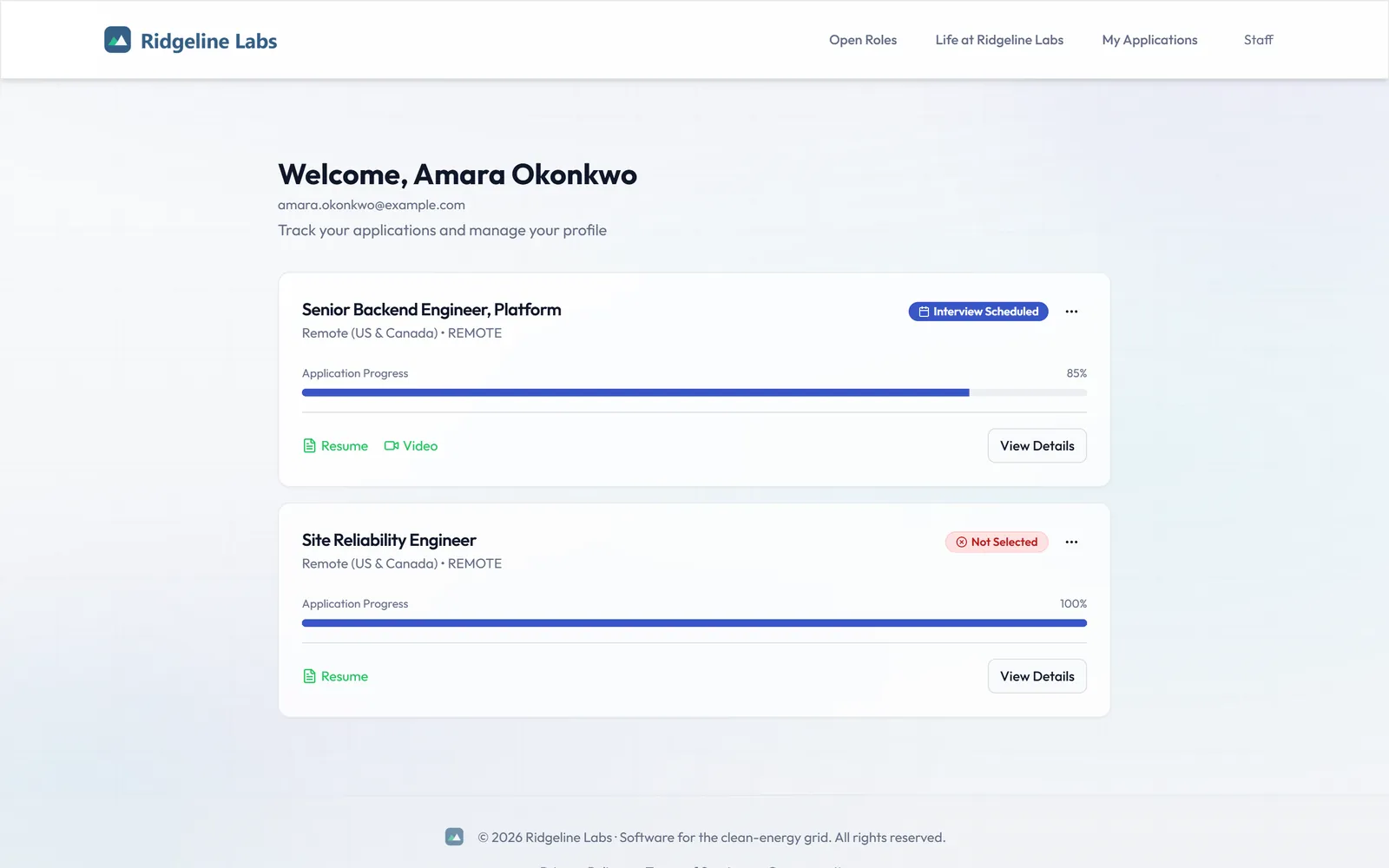
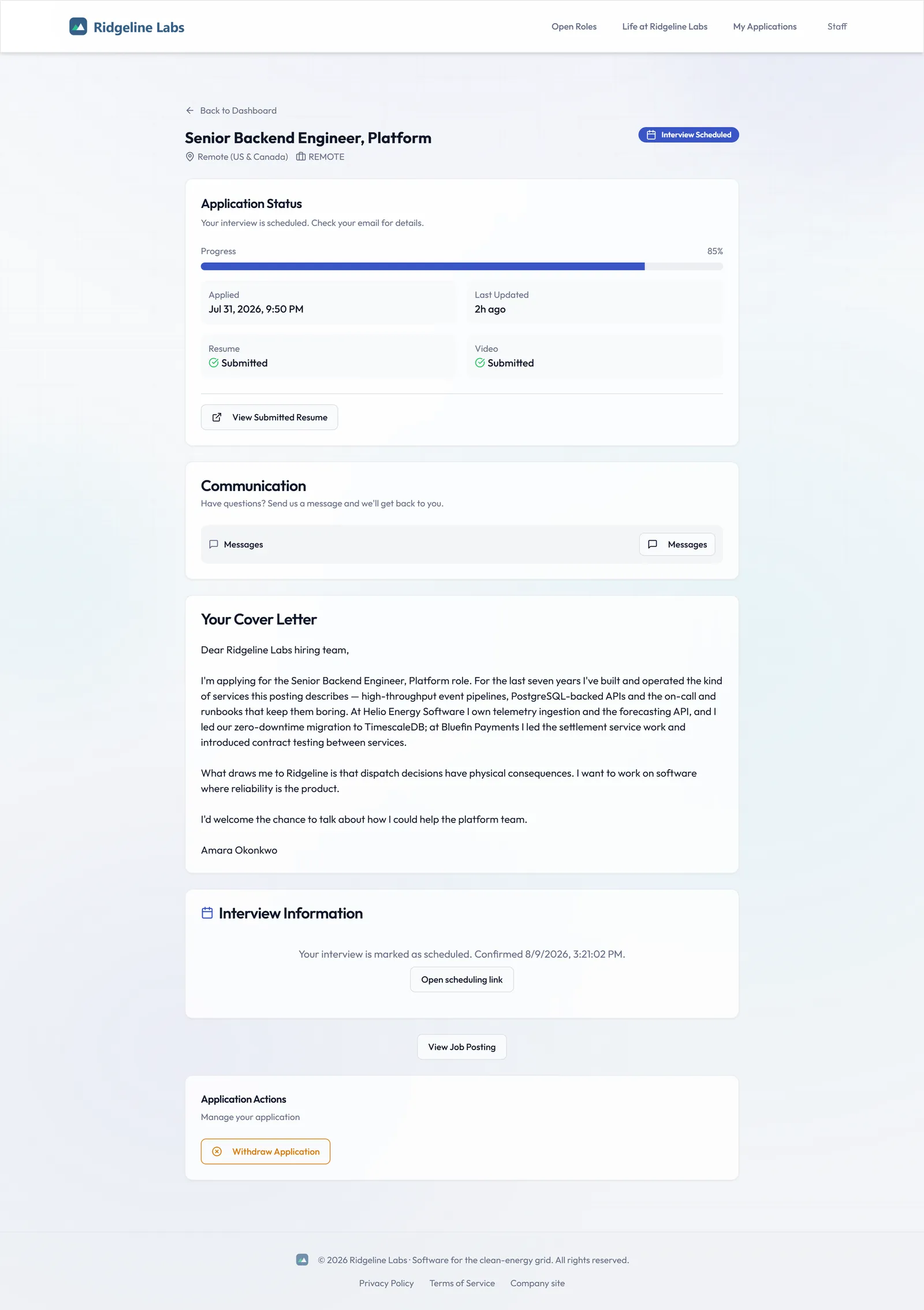
Passwordless entry, guided steps with saved drafts, and a portal where candidates track status and reply to your team.
- Passwordless email code or magic link, with a session that lasts a week
- Guided flow: resume, cover letter, questions, video, AI questions and review, with pre-screening first and an Experience step when the job uses them
- Resume upload with instant parsing, and an in-browser video intro where the job asks for one
- Status tracking and messaging in the candidate portal
13 · Compliance & audit
Every decision, with a paper trail.
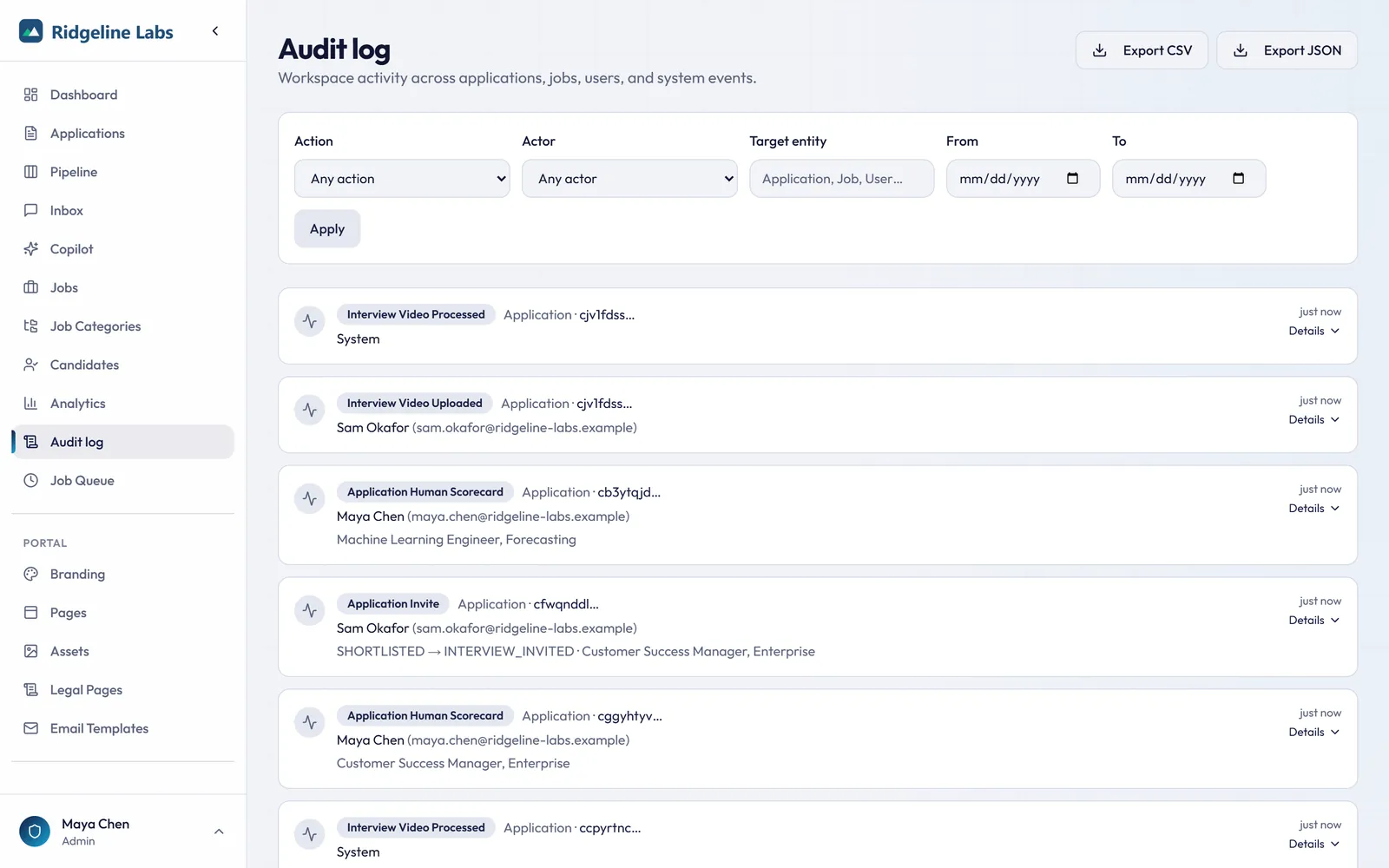
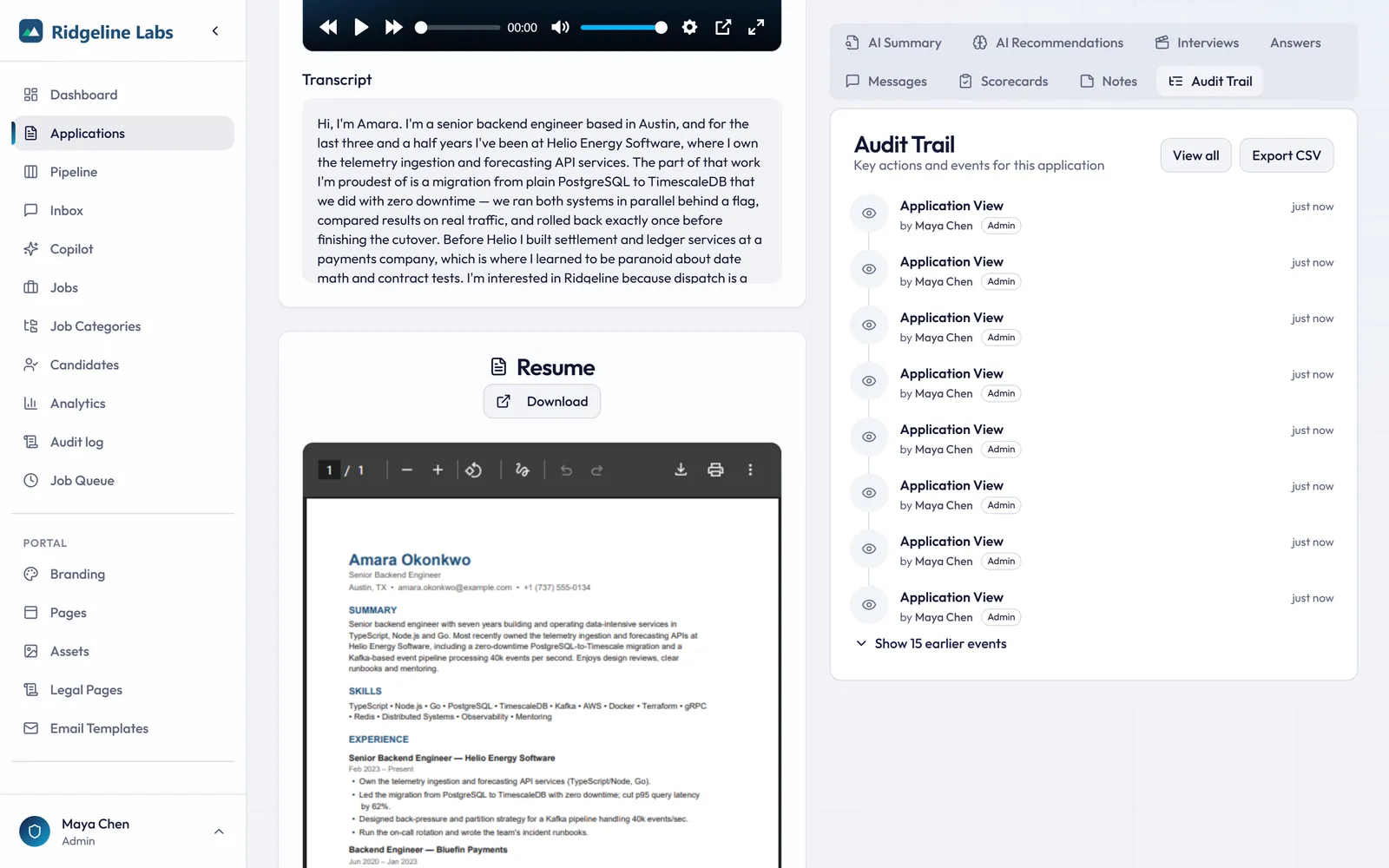
Workspace and per-application audit logs record submissions, AI scoring, views, status changes, messages, scorecards, and share-link events.
- Filters by action, actor, entity, and date, with CSV and JSON export
- Per-application audit trail with actor, metadata, and timestamps
- AI recommendations and human overrides both recorded
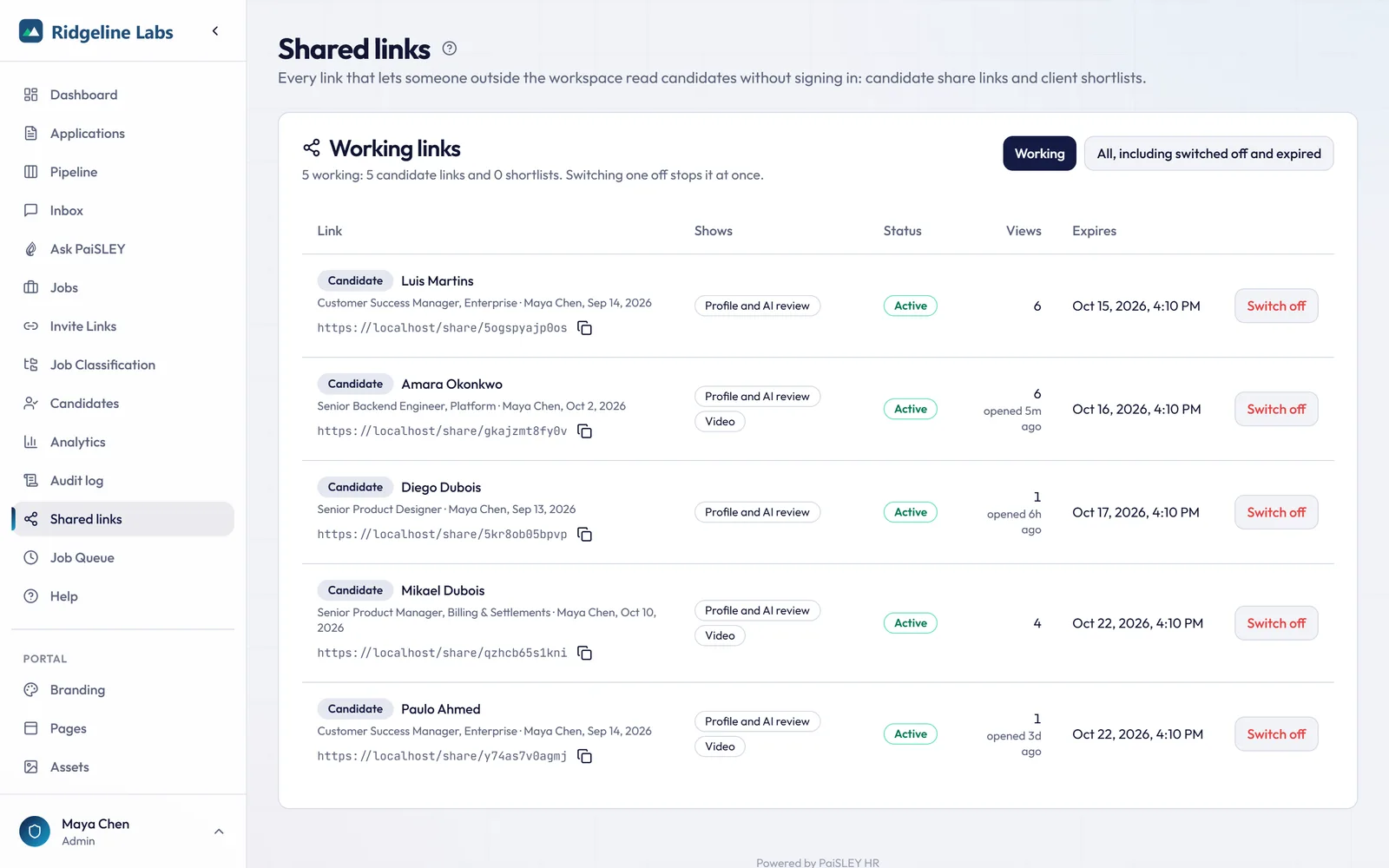
- Shared links page: admins see every working share link and client shortlist, switch any of them off, and each switch made there is recorded in the audit log
Full capability catalogue
Every capability in PaiSLEY, grouped by area.
01 · 19 capabilities
Job & posting management
Draft a posting from a short brief with AI, then tune the controls, access rules, and lifecycle states real hiring teams need.
AI-assisted job description authoring
paste a short role brief and PaiSLEY drafts the full posting, including responsibilities, requirements, nice-to-haves, and benefits, ready for you to edit.
On eligible plans, attach the client's intake form (PDF, Word .docx, text, or Markdown, up to 8 MB) to the AI draft instead of, or as well as, a role brief. The draft also fills in the location, job type, work arrangement, experience level, and salary range when the brief or form gives them. The file is read for that draft and not stored
Intuitive job setup
title, department, type, location, responsibilities, requirements, nice-to-haves, compensation, and benefits.
Step-by-step job editor
details, description, pay and benefits, employer text, skills, screening questions, and a review, starting from an AI draft on eligible plans, plus a job board ad step you can copy from before the job is saved or published. A missing title or location, or an invalid postal code or salary range, takes you to the step that fixes it.
Classify jobs by industry, category, position, and experience level, and filter the jobs list by status, industry, and experience level. Admins edit the lists of industries, categories, and positions
Keep a job's salary for your team without showing it on the posting, in the job feed, or in Google for Jobs data
Admins can duplicate a job into a new draft with its sections, pay, and questions (and its assignees on eligible plans), but none of its applications
A ready-to-paste job board ad for LinkedIn, Indeed, or another site, ending with a link to the job on your careers site. Links for LinkedIn and Indeed are tagged, so on eligible plans those applications show their source in Analytics
Share a job on LinkedIn, X, or Facebook
PaiSLEY fills in a post from the job's details, you edit it, and you post it from your own account or page. Candidates can share a job from its page on your careers site too. The links are tagged, so on eligible plans applications from them show their source in Analytics.
Customizable job categories with colour coding and sort order
Custom AI scoring instructions per job
weight specific skills, certifications, or experience higher.
Per-job screening questions
free text, multiple choice, or scale ratings.
Pre-screening questions
Yes/No questions candidates answer before uploading a resume. A candidate whose answer doesn't qualify can still submit a resume, and the application stops there and is marked for your review. Nothing is rejected automatically.
Skills and qualifications per job, with suggestions from the job description on eligible plans, and an optional salary expectation question
Access control per job
on eligible plans, assign jobs to specific recruiters. Recruiters see the jobs assigned to them and any job with nobody assigned.
On eligible plans, admins can assign a job to several people. Every assignee works the job and can get its notification emails
Sharable invite links with campaign tracking, usage analytics, expiration dates, and max-use limits
Job lifecycle
Draft, Published, Closed, Archived.
An optional job lock that admins switch on for the workspace
once a job has a submitted application, its screening questions, skills, AI scoring instructions, title, pay, and location stay fixed, while the posting text, assignees (on eligible plans), and status can still change. Admins can duplicate a locked job into a draft to change the rest.
02 · 15 capabilities
Candidate application experience
A guided, mobile-friendly application flow that captures richer signal than a resume alone, without making candidates jump through hoops.
Passwordless authentication
email OTP or magic-link sign-in for frictionless candidate access.
Resume parsing for PDF and DOCX (up to 10 MB) with automatic DOCX-to-PDF conversion
AI extraction of name, email, phone, LinkedIn, skills, experience, and education
Editable verification
candidates review and correct extracted data before proceeding.
Optional cover letter
gives the AI more to go on than the resume alone.
AI follow-up questions generated from real resume gaps
three by default, and you can set 1 to 10 for the workspace or for each job.
Configurable screening questions per job
An Experience step for jobs that list skills or qualifications
candidates give their years and level for each skill and answer each qualification, pre-filled from their resume where it covers them, for the candidate to check.
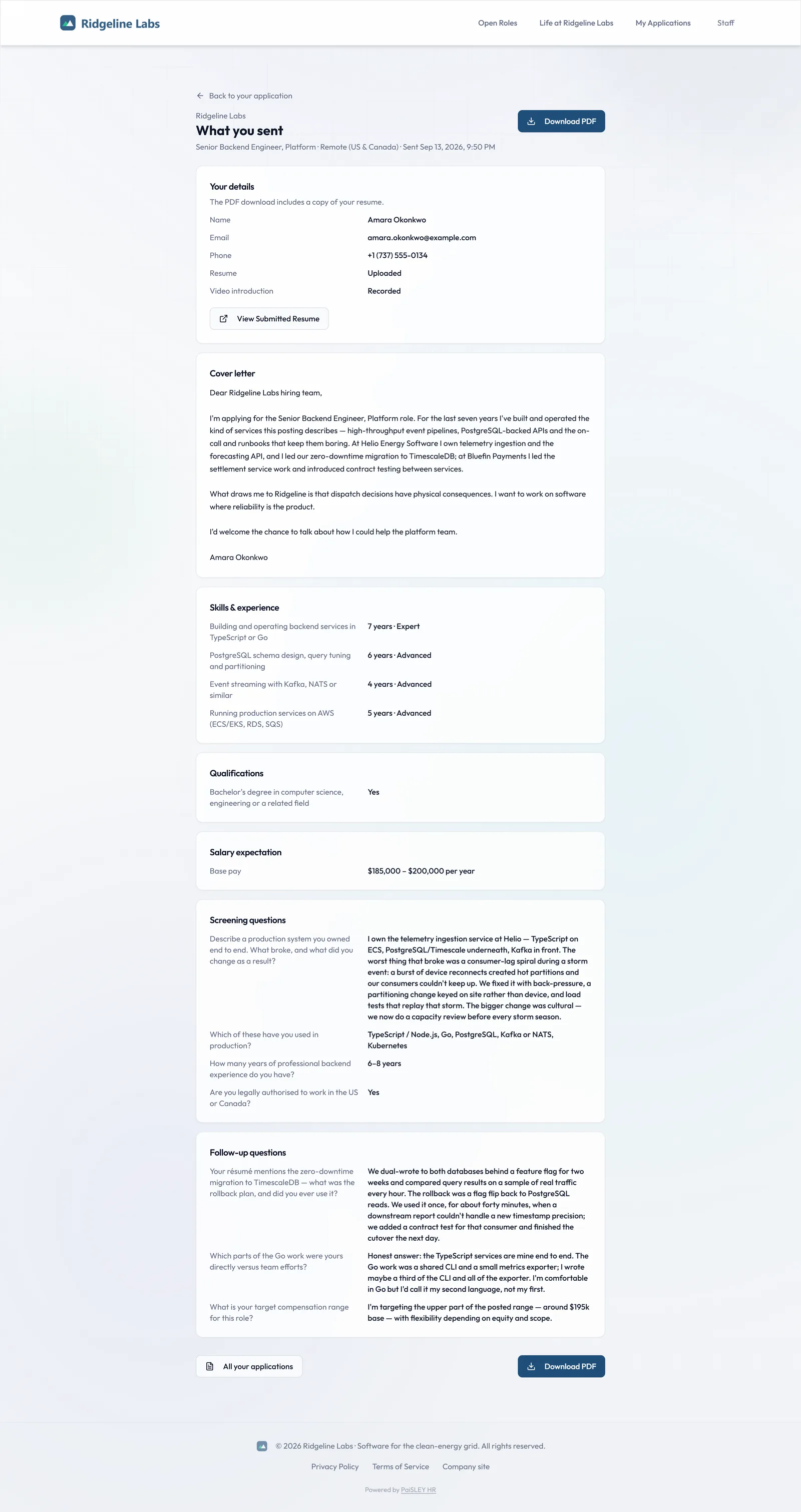
A What you sent page in the candidate portal listing what the candidate submitted, downloadable as a PDF with their resume attached when it is a PDF
Careers site job search by keyword across the job's title, location, classification, and description sections, and by distance from a Canadian postal code or US ZIP code
Shared job links show the job title, the start of the description, and your logo (once you've uploaded one) in link previews
Video introduction studio
hardware verification, audio level monitoring, teleprompter, talking-point prompts, 3-second countdown, unlimited retakes, and preview before submission (1 to 5 minutes by default; admins can allow up to 10).
Each job makes the video introduction and the AI follow-up questions off, optional, or required (video introductions on eligible plans)
Multi-job support
candidates can apply to multiple positions simultaneously.
Candidates can withdraw an application while it's in progress, which removes their resume and video introduction and cancels any AI processing still waiting to run. They can then delete it
03 · 16 capabilities
HR cockpit & decision tools
One page for every candidate decision: video, parsed data, AI evidence, and one-click actions, built for daily review work.
Side-by-side review
video, resume, and AI analysis in panels you can drag between columns (a third column on wide screens and a fourth on very wide ones) and collapse, with a resizable divider on larger screens. On wide screens, drag either edge of the page to make it narrower. Save the arrangement, page width included, as your own default layout.
Reorder and collapse the sections in the AI summary, recommendations, and answers tabs, and in the interviews tab on plans with interview recording. A saved layout also remembers which tab to open
On an application, the resume, contact details, and cover letter each have their own panel, and so do the skills and resume summary when the application has them. Drag one panel onto another to show the two as tabs, or drag a tab out into a panel of its own, and your saved layout keeps the groups
1.5× video playback with seek controls. A playing video introduction moves to a corner player while you scroll, so you can keep watching as you read
Resume summary, parsed data, AI scores, screening answers, and clarification Q&A on one page
Resume-to-video discrepancy detection
AI cross-references claims.
Ghosting alerts for candidates idle more than 48 hours
AI-score sorting and status-based filtering
Choose the applications list's columns, such as phone, location, current role, LinkedIn, job location, experience, required skills, red flags, source, pre-screen result, interview, expected salary, and submitted and hired dates. Drag them into order, resize them, and pick Comfortable or Compact rows. Each person can set the sort the list opens with and save filters and sort as named views
New counts per job and New badges on applications you haven't opened, plus Previous and Next buttons to step through applicants without going back to the list
Skills answers on the Answers tab, marked where they differ from what the AI read in the resume
When a candidate is hired, a Hired badge with the date shows on the Candidates list, the candidate's page, their other applications, and talent pool matches. Each application also lists the candidate's other applications you can see, with their status
Decision actions
Shortlist, Invite to Interview, Reject, Mark Under Review, Re-queue AI, Re-analyze Resume.
Internal notes private to HR staff, with author and timestamp
Direct candidate messaging with template library and BCC support
Each morning at 7 AM ET, admins and the people assigned to each job get a digest email of up to 25 new applications on their jobs, highest AI Score first. Its Shortlist and Reject buttons open a PaiSLEY page to confirm before anything changes. Each person can also get an email as each application arrives, or turn these emails off
04 · 13 capabilities
Pipeline, collaboration & talent pool
See every candidate across stages on the pipeline board, act in bulk, score them with structured human scorecards, and keep strong runners-up for the next opening.
Kanban pipeline board (on eligible plans)
every candidate by stage, from Under Review and Shortlisted through Interview Invited, Interview Scheduled, Hired, and Rejected. Drag a card to change its status. Board moves never email the candidate, moves to Rejected or Interview Invited ask you to confirm first, and each change is written to the audit log.
Per-stage counts and board filters by job, owner, score band, or status so large pipelines stay readable
Bulk actions on the applications list
select candidates across pages, or every application matching your filters, then reject them or move them to a new status, up to 1,000 at a time, or share up to 100 from one job with a client.
CSV export of candidates, scores, and stages for reporting, client shortlists, or your own BI tooling
Human scorecards
structured, per-competency ratings with weighting, comments, and a combined human score alongside the AI score.
Scorecard templates per job or department, so every interviewer evaluates against the same criteria
Interviewer collaboration
multiple reviewers submit independent scorecards, and PaiSLEY surfaces agreement and outliers.
Talent pool and silver medalists
keep strong runners-up in a searchable pool tagged by skill, role, and previous score.
Re-engage the pool on a new opening
filter past candidates, then invite matching profiles straight into the new job.
Re-engagement invites start from a standard message you can send as it is or edit, a message template, or an AI draft
Client shortlists
tick candidates from one job and send the client a single link, with no account needed. The client opens each candidate's resume, answers, and video, plus the AI score and summary unless you switch them off, picks Worth an interview, Maybe, or Not a fit, and adds a note. The note is saved on the application and emailed to whoever shared the shortlist and the job's assignees, depending on their notification settings. Internal notes, scorecards, messages, and salary expectations aren't included, and links expire within 30 days.
Shared links page for admins
every working candidate share link and client shortlist in one list, with the job, who created it, which optional parts it shares (such as the video), views, and expiry. Switch a link off and it stops working straight away; switch it back on and it works until its original expiry.
Consent-aware retention on pooled candidates, with the same withdrawal and deletion rules as active applications
05 · 8 capabilities
AI analysis & scoring
Evidence-backed scoring across resume, video, cover letter, and screening answers. Always advisory, never the final say.
Job-specific resume analysis
skills match %, red flags, fit score (0 to 100), overall fit assessment.
Cumulative application scoring across resume, video transcript, cover letter, and screening answers
Executive summary, strengths with evidence, concerns and risks
Proceed, Review, or Reject recommendation, always advisory
Video transcription via configurable provider (typically Whisper)
Background job queue with retry logic for reliable AI processing
A model assigned to each AI task (for example resume analysis, transcription, Ask PaiSLEY, and drafting) to balance cost, speed, and accuracy. On managed cloud plans PaiSLEY manages the models and API keys; self-hosted deployments add their own provider keys and choose the provider and model for each task
Multi-LLM provider support
OpenAI, Google Gemini, Anthropic Claude, OpenRouter, ElevenLabs.
06 · 7 capabilities
Ask PaiSLEY
On eligible plans, ask your pipeline questions in plain language: compare finalists, explain a score, or draft the follow-up you were about to write yourself.
On eligible plans, ask questions in plain language
"Compare my top 5 candidates for this role" returns a side-by-side breakdown of skills, experience, and score drivers.
Explain any score
"Why did this candidate score 62?" returns the evidence, strengths and gaps behind the number.
Draft outreach in context
"Draft a follow-up asking about the employment gap" produces a draft you can copy into a message, edit and send.
Shortlist reasoning on demand
ask PaiSLEY to compare a job's five highest-scoring candidates and suggest who to interview first.
Candidates' own answers
Ask PaiSLEY uses what each candidate answered (screening questions, skills and qualifications, follow-up questions and questions from the hiring team) as well as their scores and analysis. Ask about a job and it works from the job's five highest-scoring candidates.
Interview preparation
generate role-specific and candidate-specific question sets from the resume analysis and the candidate's answers.
Grounded answers
PaiSLEY works from your job and candidate data, and it's instructed to say what's missing instead of inventing facts.
07 · 8 capabilities
Analytics & reporting
Pipeline, funnel, and campaign metrics that show you where hiring is working, and where it's leaking, at a glance.
Pipeline overview
total applications, candidates by stage, and average scores at a glance.
Funnel performance metrics
see where candidates drop off (on eligible plans).
On eligible plans, an Application flow tab follows candidates through the application form
how many reach each step, move on or leave it, the median time on each step, and each job from started to submitted.
On eligible plans, an Insights tab on each application compares how that candidate applied with the job’s other candidates
time to apply and active time on the form beside the job’s medians (once five candidates are behind them), each step they reached, and where their AI and human scores rank among the job’s scored applications. Staff only, never on share links.
Job-level metrics
per-role statistics to identify underperforming postings.
Application sources breakdown (on eligible plans)
direct, invite links, staff uploads, the job feed, LinkedIn, Indeed, X and Facebook (from job board ads and social posts), and candidate shares.
Invite campaign analytics
view count, use count, and conversion per link.
Recent activity feed
a real-time stream of application events.
08 · 8 capabilities
Integrations & job distribution
On eligible plans, webhooks and Zapier push events into the tools you already run. Structured data and an XML feed get your jobs in front of candidates.
On eligible plans, outbound webhooks fire signed HTTP callbacks on events such as application received, status changed, AI scoring complete, candidate hired, or job published
On eligible plans, point a Zap at the webhook to send PaiSLEY hiring events to Slack, HRIS, payroll, spreadsheets, or thousands of other apps without custom code
Slack and Microsoft Teams channel messages on eligible plans
set a webhook to send as a Slack or Teams message, using a Slack app's incoming webhook or a Teams workflow, and the events you pick post to the channel, such as who applied or moved to a new status for which job, the AI score where there is one, and interview times in each reader's time zone, with a link to the application or job. Candidate email addresses are left out, and no Zapier account is needed.
Configurable per-webhook event selection, secret signing, retry with backoff, and a delivery log you can inspect and replay
Google for Jobs compatibility
published postings emit valid JobPosting structured data so roles are eligible for Google's job results.
Standard XML job feed endpoint
a single always-current feed URL for Indeed and other job boards that accept an XML feed.
Public API with bearer-token authentication for pulling published jobs into your existing careers page
Branded careers portal with direct apply, so distribution and application capture stay in one system
09 · 8 capabilities
Security, privacy & administration
Role-based access, audit logs, candidate withdrawal and deletion, and signed URLs. The controls security and HR teams expect.
Role-based access control
Admin and Recruiter staff roles (Recruiter accounts and per-job assignment on eligible plans), plus applicant accounts.
Comprehensive audit logs
application views, status changes, job CRUD, user management, login/logout, API tokens, AI processing, invites.
Filter audit logs by date range, user, or event type
Candidate withdrawal removes the resume and video introduction, and the candidate can then delete the application
Staff notification emails name the candidate and the job and link into PaiSLEY; message and client-feedback emails also quote the start of the message or note. PaiSLEY doesn't put resumes, answers or scores in emails, and the daily digest's buttons ask you to confirm on a PaiSLEY page
Resume links expire after 15 minutes and video links after an hour. Share links last up to 30 days and can be switched off sooner
Configurable session durations, OTP expiry, rate limiting, and inactivity timeouts
Public API with bearer-token authentication for careers-page integration
10 · 7 capabilities
Getting started, help & billing
A guided first setup, answers inside the product when you need them, and plan changes you can make yourself.
Guided workspace setup
on managed cloud plans, workspace admins get a setup wizard for your company introduction, logo and colours with a live preview, privacy contact and legal pages, and their interview scheduling link. Each step saves on its own and can be skipped or finished later.
A privacy policy and terms of service template for Canadian employers
admins answer questions such as who the privacy officer is, the province or territory, and how long the organization keeps applications, and PaiSLEY fills in both pages to preview and publish, from Legal Pages or, on managed cloud, the setup wizard. It's a starting point, not legal advice.
In-app user manual
browse or search the full manual inside your workspace. The help button and Ctrl + / open help that suggests articles for the screen you are on, where the manual covers it.
Support chat inside PaiSLEY on managed cloud plans
an AI assistant answers from the user manual first and hands the conversation to our team when you need a person.
Self-serve plan changes from Billing
before you confirm an upgrade, PaiSLEY shows the prorated charge, any resume overage so far, and tax, and the new plan starts once the payment goes through. Downgrades take effect at the end of the billing period.
Pay as you go on managed cloud
no monthly fee. You buy credits, and each resume costs a base price plus the add-on bundles you pick at signup, which admins can change later in Billing. Other AI use is charged as you use it. Current prices and bundles are on the pricing page.
On managed cloud, new customers can start a monthly plan with a free trial, with a card on file. A banner and the Free trial card on Billing show the days and resumes left. Admins can cancel from Billing before it ends without being charged, or start the subscription early. Current plans and terms are on the pricing page
11 · 6 capabilities
Deployment & infrastructure
Dedicated, self-hostable environments with per-client isolation, encrypted key management, and per-feature provider choice when self-hosted.
Dedicated, branded environment per client
your data stays yours.
Self-hosted architecture with full Docker support, available for enterprise customers
Background worker process for AI jobs
Health-check endpoint for monitoring
Encrypted API-key management with connection testing and key rotation
SMTP, storage, and AI provider settings all configurable per environment
Common questions
- Which AI providers does PaiSLEY use?
- PaiSLEY is provider agnostic. It runs on OpenAI, Anthropic, Gemini, or OpenRouter models, with a model assigned to each AI task (for example resume analysis, transcription, Ask PaiSLEY, and drafting) to balance cost, latency, and accuracy. On managed cloud plans PaiSLEY manages the models and API keys; self-hosted deployments add their own provider keys and choose the provider and model for each task.
- Who owns the hiring data, and can we self-host?
- Your workspace data stays yours. Managed cloud hosting is the default, and enterprise customers can run PaiSLEY self-hosted with Docker in their own environment.
- Can we white-label the careers site?
- Yes. The page builder, branding settings, and custom domain support let you publish a careers site under your own brand, with Google for Jobs structured data and a standard XML job feed.
- How is candidate privacy handled?
- Candidates authenticate passwordlessly, uploads are served through short-lived signed URLs, every status change and AI recommendation is written to an audit log, and candidates can withdraw, which removes their resume and video introduction.
- Is the AI making hiring decisions?
- No. AI scores and recommendations are advisory and always show their evidence. Humans record scorecards and make every decision, with overrides captured in the audit trail.

See it in your workflow.
Choose a plan, create your workspace, and start with your own job posting.
Get started